Servo settings
SETTINGS, the third tab of SERVO's strip, shows the servo's settings in the page area on three pages: OUTPUT, SWEEP and DUT (device under test). Each run's own settings open from its card on TEST: the card's SETTINGS shows them as a list one level down, and CLOSE at the list's top right or the home tag goes back to the cards. The output card on the right stays in place and works. A value opens the keypad, a list opens a list, a switch flips on the tap, and NAME opens a keyboard.
OUTPUT
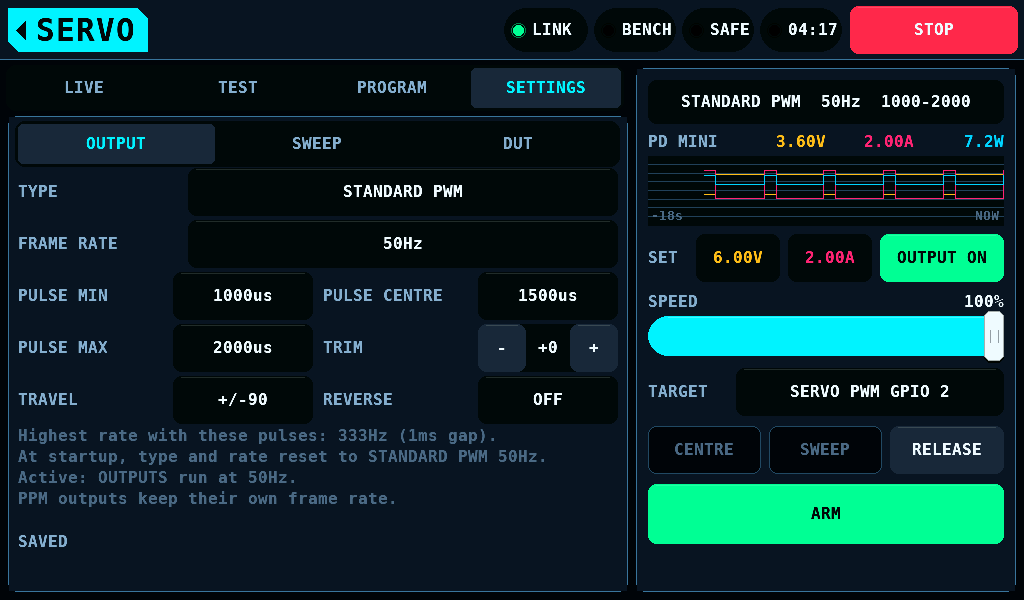
| Setting | Range | What it does |
|---|---|---|
| TYPE | STANDARD PWM, NARROW 760, WIDE, HELI CYCLIC, HELI TAIL 760 | the servo profile |
| FRAME RATE | the type's list, or CUSTOM on the keypad | how often a pulse is sent |
| PULSE MIN, CENTRE, MAX | 400 to 2500us; each end at least 50us from CENTRE | -90deg is MIN, 0 is CENTRE, +90deg is MAX |
| TRIM | -200 to +200us, 5us a step | added to the centre; a tap on the value opens the keypad with a +/- key |
| TRAVEL | 10 to 90deg | how far the horn may go each way |
| REVERSE | ON, OFF | the direction the angle maps onto the pulse |
| Type | Centre | Travel | Frame rates |
|---|---|---|---|
| STANDARD PWM | 1500us | 1000-2000us | 50, 60, 100, 150, 200, 250, 300, 333Hz |
| NARROW 760 | 760us | 660-860us | as STANDARD PWM |
| WIDE | 1500us | 800-2200us | as STANDARD PWM, up to 312Hz |
| HELI CYCLIC | 1520us | 820-2220us | 50, 120, 200, 333Hz |
| HELI TAIL 760 | 760us | 410-1110us | 200, 333, 560Hz |
A pulse needs a pause before the next frame: at least 1ms for STANDARD PWM, NARROW 760 and WIDE, 0.5ms for the heli types. A frame rate the pulses leave no pause for is refused.
The OUTPUT settings are kept for the session. Every restart goes back to STANDARD PWM at 50Hz.
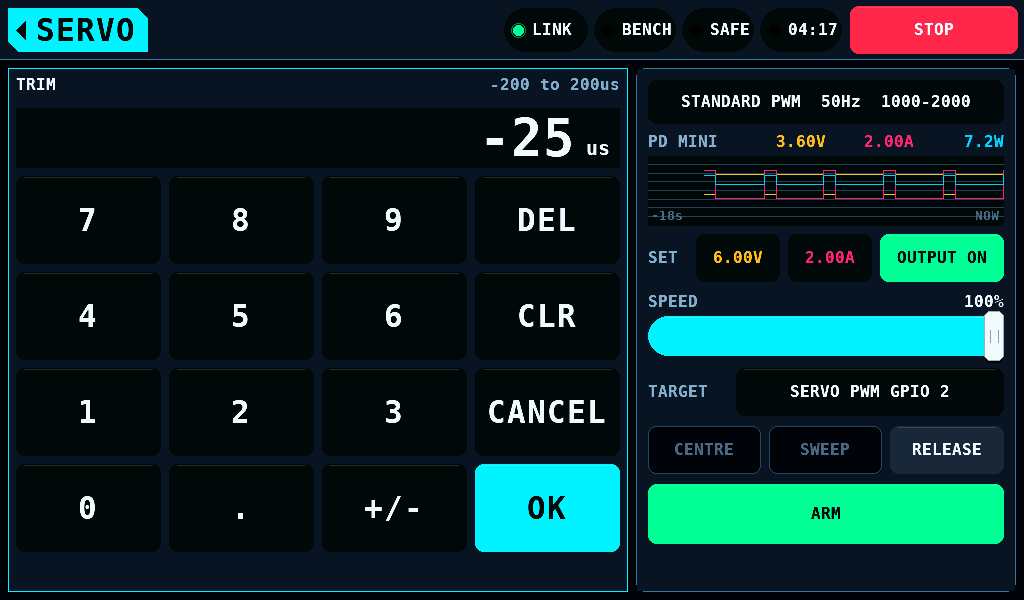
TRIM's keypad has a +/- key between the point and OK: it puts a minus sign in front of the entry or takes it away. OK takes -200 to +200us onto the nearer 5us step: 13 is 15, -12 is -10. -201 keeps the keypad open and names the range in the warning colour.
The warning for fast rates
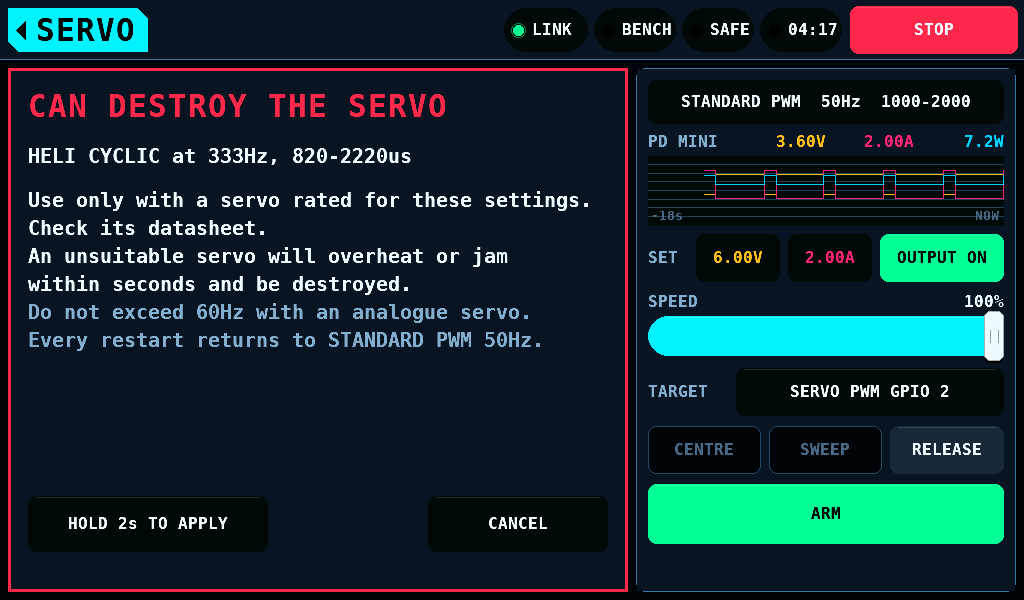
A heli type, or any frame rate above 60Hz, can destroy a servo not made for it. Choosing one opens a warning in the danger colour that names the choice. It is applied after HOLD 2s TO APPLY is held. CANCEL, a finger that slides off and leaving the screen apply nothing. The type and rate in force stay red on the right card.
The OUTPUT page says what became of the rate:
| Note | Meaning |
|---|---|
Active: OUTPUTS run at 330Hz. | the IOmcu runs the rate on the target it holds |
The frame rate will be sent to the IOmcu with the next position command. | not written yet |
REFUSED: ... | a pulse is longer than the frame, or a pin shares a PWM slice at another rate; the pins keep their rate |
No link. The active frame rate is unknown. | no IOmcu answers |
SWEEP
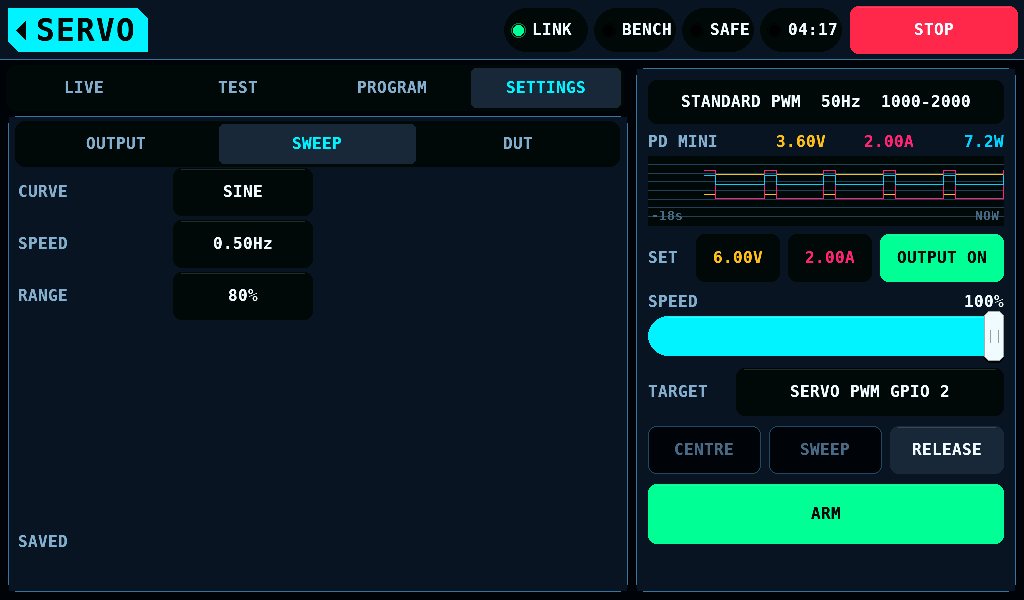
| Setting | Range | Default | What it does |
|---|---|---|---|
| CURVE | SQUARE, SINE, TRIANGLE | SINE | the curve of SWEEP and of the test's moves |
| SPEED | 0.05 to 5Hz | 0.5Hz | curves a second |
| RANGE | 10 to 100% | 80% | the share of the travel moved through |
The automatic test's settings
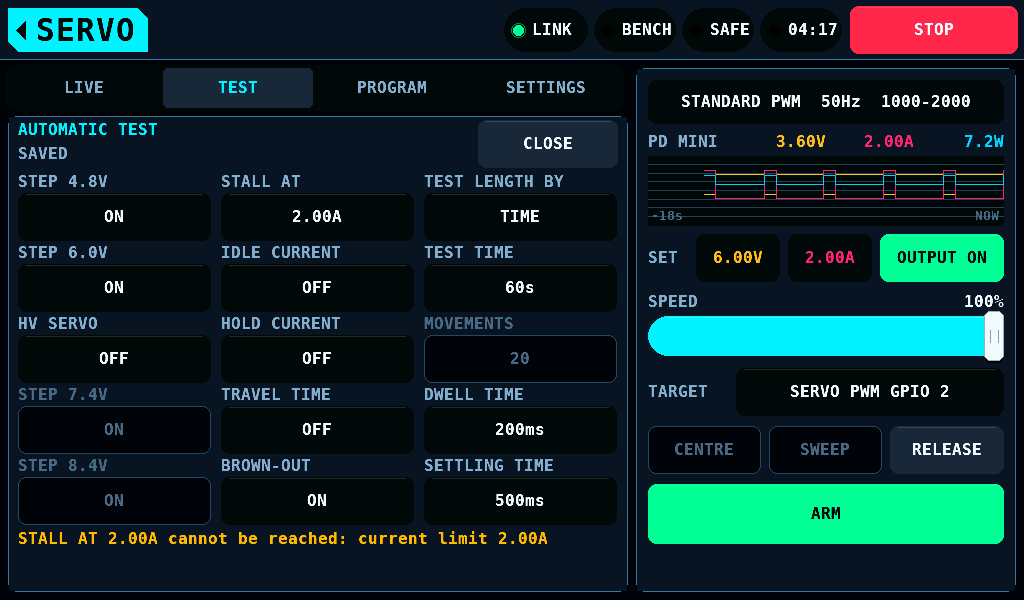
SETTINGS on the AUTOMATIC TEST card opens them.
| Setting | Range | Default | What it does |
|---|---|---|---|
| TEST LENGTH BY | TIME, MOVES | TIME | how each supply step is measured |
| TEST TIME | 5 to 3600s | 60s | the length of a step |
| MOVEMENTS | 1 to 1000 | 20 | the moves of a step |
| DWELL TIME | 0 to 5000ms | 200ms | held at each end, by the test and by SWEEP |
| SETTLING TIME | 0 to 10000ms | 500ms | waited after a supply step before measuring |
| STALL AT | 0.1 to 5.0A | 2.00A | above this current the servo counts as stalled |
| IDLE CURRENT | 0 to 5.00A | 0, not checked | fail above this at rest |
| HOLD CURRENT | 0 to 5.00A | 0, not checked | fail above this holding an end |
| STEP 4.8V, STEP 6.0V | ON, OFF | ON | the supply steps |
| HV SERVO | ON, OFF | OFF | adds STEP 7.4V and STEP 8.4V; off at every restart |
| BROWN-OUT | ON, OFF | ON | from 5.0V down until the servo stops moving |
| TRAVEL TIME | 0 to 5000ms | 0, not checked | fail above this from end to end |
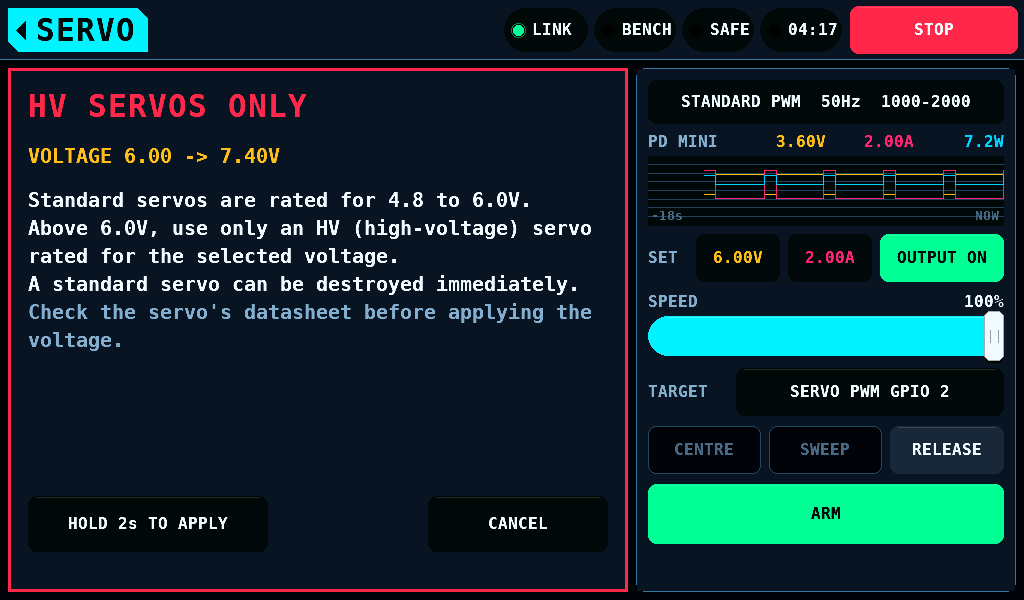
With HV SERVO on and a step above 6.0V chosen, START TEST on the card opens HV SERVOS ONLY first, naming the highest step.
The limit run's settings
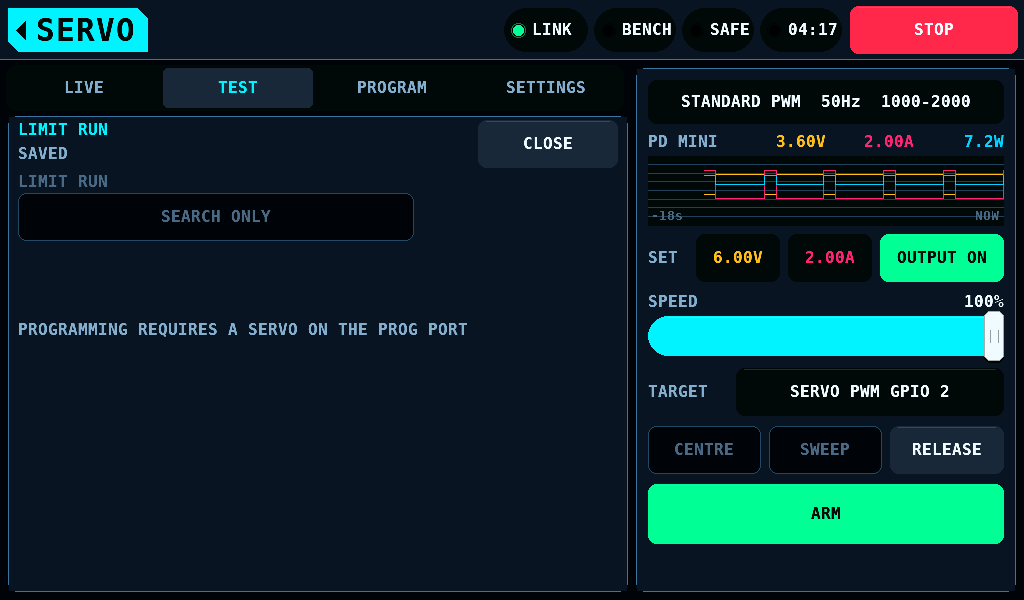
SETTINGS on the LIMIT RUN card opens them.
| Setting | Range | Default | What it does |
|---|---|---|---|
| LIMIT RUN | SEARCH ONLY, SEARCH + PROGRAM | SEARCH ONLY | what START LIMIT RUN does: search the ends, or also program LEFT ANGLE and RIGHT ANGLE |
| SERVO PULSES | KEEP, 1000-2000 | KEEP | shown with TARGET on PROG PORT only: 1000-2000 writes the servo's PULSE LOWER and PULSE UPPER to 1000.0 and 2000.0us before the search |
SUPPLY's caps
The voltage and current caps the set points and a run's steps stay inside show read-only under TEST's cards and on DUT: Caps 21.00V 5.00A: SUPPLY > SETTINGS, the caps in force. They are set on SUPPLY > SETTINGS.
DUT
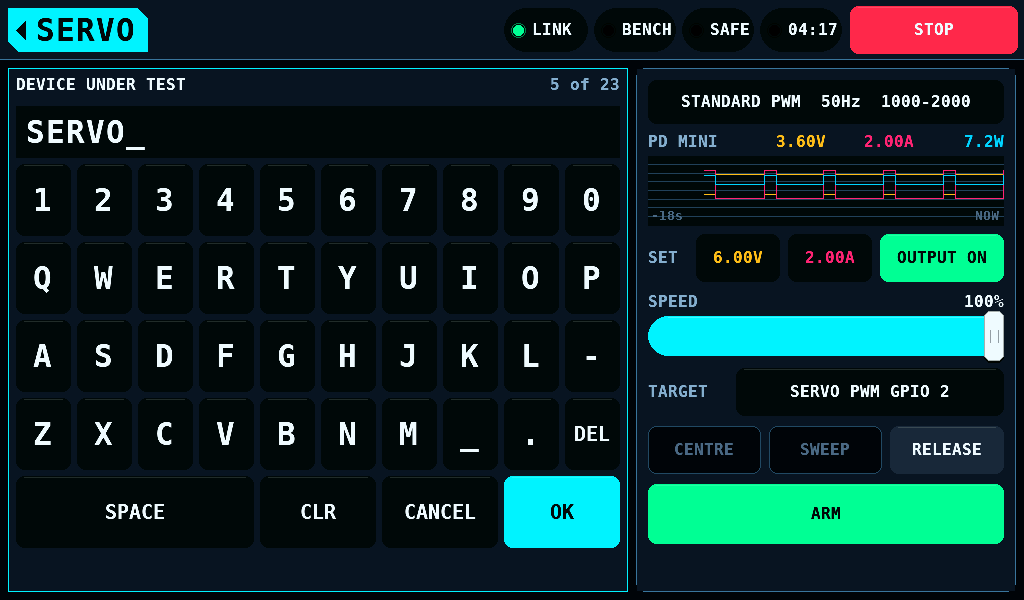
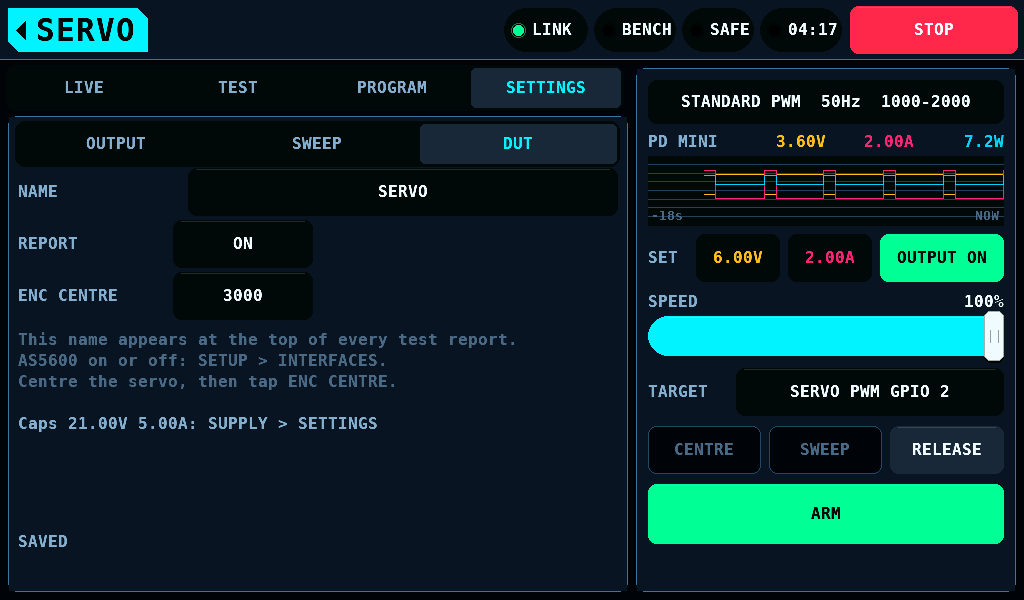
| Setting | What it does |
|---|---|
| NAME | the device under test, up to 23 characters; it heads each report |
| REPORT | a text report, ATESTnnn.TXT, beside each test's log, while User logs on SETUP > SD CARD is ON |
| ENC CENTRE | a tap takes the live count, 0 to 4095, as the centre, with the servo at neutral |
AS5600, the output encoder, is switched on Interfaces alone. PORT PWM, the pulse on the programming port, is set on the PROG PORT entry of Outputs alone.
The TARGET row
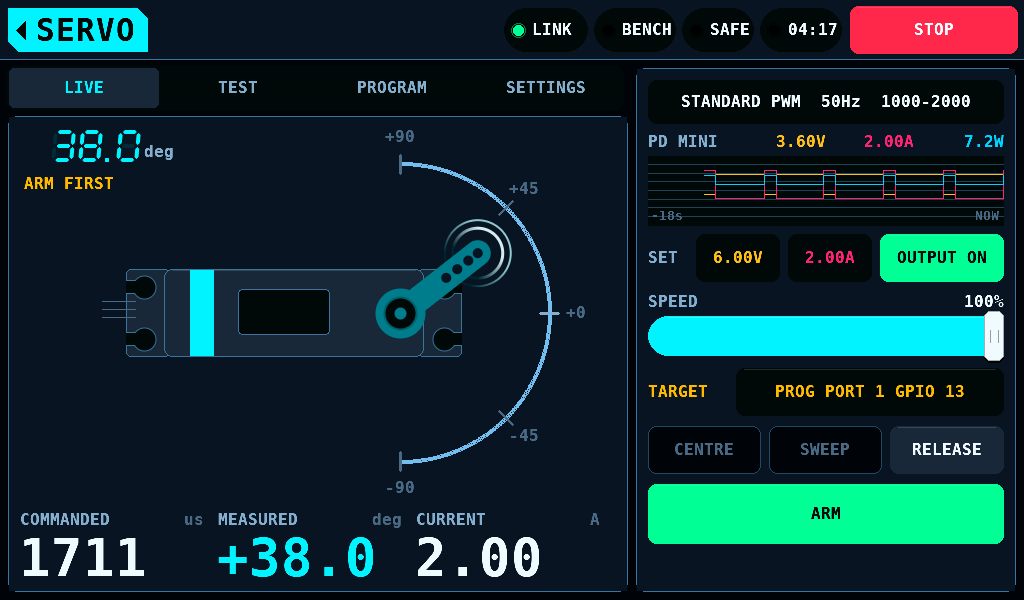
The TARGET row of the output card names what the tester drives now as protocol pins, and picks it, as on MOTOR & ESC: a tap opens Outputs, on what the row shows: the PROG PORT entry while the IOmcu drives the port, SERVO PWM while it drives the outputs, the overview while the target is not known. There SERVO TESTER picks OUTPUTS, the pins bound as SERVO PWM, or PROG PORT, the IOmcu's programming port. Leaving SERVO switches the bench to SAFE and ends a sweep or a test; the home tag on OUTPUTS comes back to SERVO on the same task. The row stays in sight on every task, under the pages and under the servo programmer. It is locked while ARMED, during a sweep, an automatic test or a limit run, and while the servo programmer holds the port.
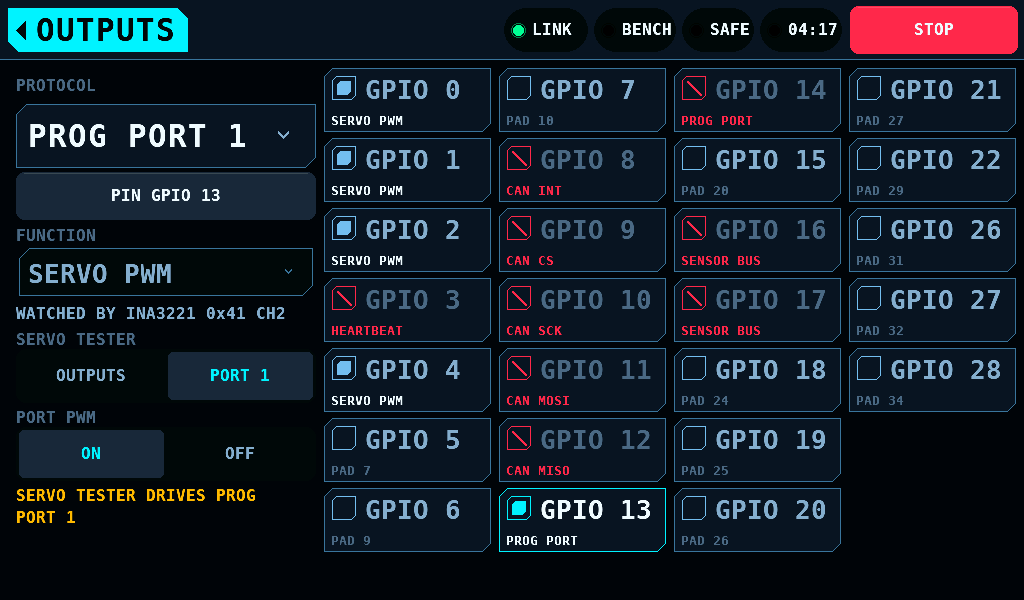
| Row | Meaning |
|---|---|
SERVO PWM GPIO 4, SERVO PWM GPIO 2 GPIO 4 | the GPIOs (general-purpose inputs/outputs) bound as SERVO PWM; more than fit read +2 |
PROG PORT 1 GPIO 13 | programming port 1 and its pin, in the warning colour |
PORT 1 GPIO 13 PWM OFF | the port is the target and renders no pulse |
NO SERVO PWM PIN | no pin is bound as SERVO PWM |
PINS NOT READ | no binding has been read |
UNKNOWN | the IOmcu's programming-port page is not read |
NO LINK | no IOmcu answers; the tester sends nothing |
The row follows the target the IOmcu holds, not the setting. A TARGET change waits for a quiet bench.
Keeping the values
OUTPUT, HV SERVO, LIMIT RUN and SERVO PULSES are kept for the session. SWEEP, the automatic test's settings, DUT and TARGET are kept in NVS (non-volatile storage) and written as the SUPPLY settings are: on the next frame with the bench SAFE and the supply output off.