Setup
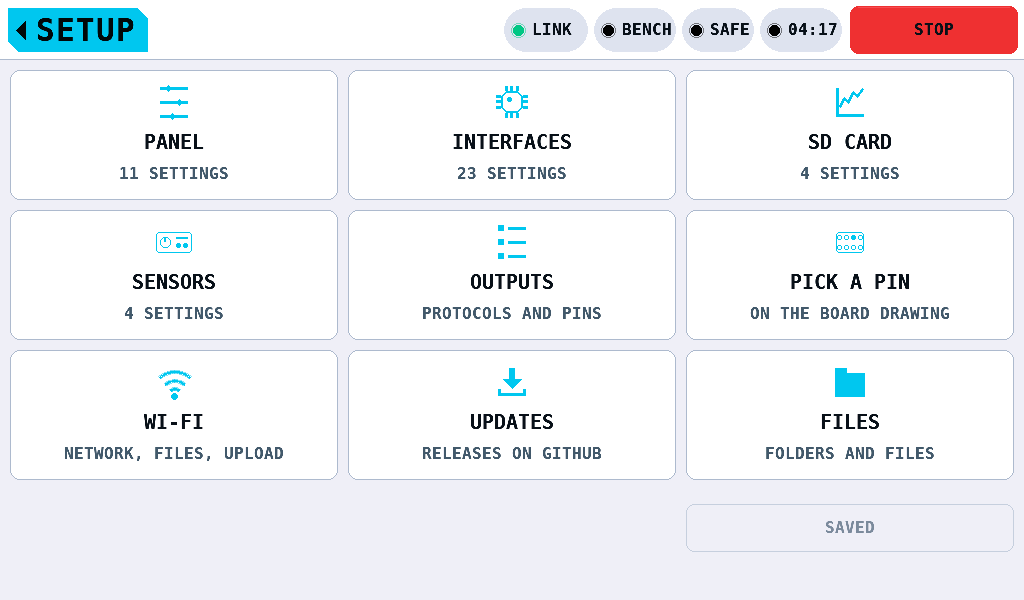
SETUP holds the panel's bench-wide settings in four categories: PANEL, INTERFACES, SD CARD and SENSORS. The ESC (electronic speed controller) settings are on MOTOR & ESC, SETTINGS. It opens from the SETUP tile on the menu on a page of tiles, 3 by 3. A category's tile opens its list across the screen's width.
The tiles
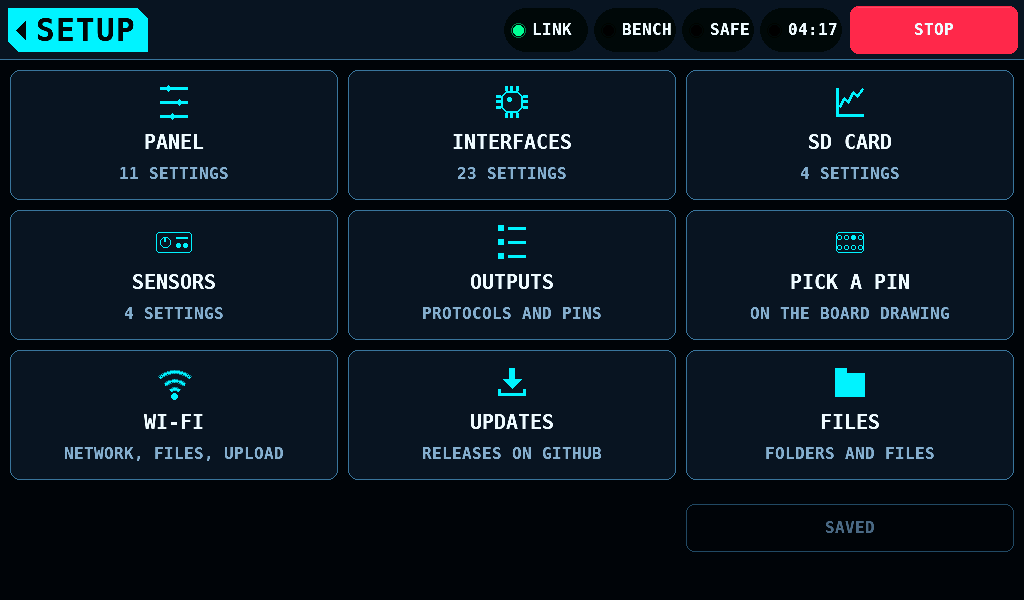
| Tile | Second line | What it opens |
|---|---|---|
| PANEL | 11 SETTINGS | the list of PANEL |
| INTERFACES | 23 SETTINGS | the list of INTERFACES |
| SD CARD | 4 SETTINGS | the list of SD CARD: which logs the panel writes, and where |
| SENSORS | 4 SETTINGS, and 9 more for each part fitted | Sensors: the INA3221 current monitors, their shunts and what each channel measures |
| OUTPUTS | PROTOCOLS AND PINS | Outputs: the role of each IOmcu pin, as a list |
| PICK A PIN | ON THE BOARD DRAWING | the pin picker: the same, on a drawing of the board |
| WI-FI | NETWORK, FILES, UPLOAD | Wi-Fi: the card's files and a panel firmware upload in a browser, and the home network |
| UPDATES | RELEASES ON GITHUB | Updates: the check for a newer panel firmware release and the reminder switch |
| FILES | FOLDERS AND FILES | Files: the card's folders and files in two panes, to copy, move, rename and delete |
No slot stays free. The save button sits at the bottom right, as on every list. A change left unsaved in any category shows on it:
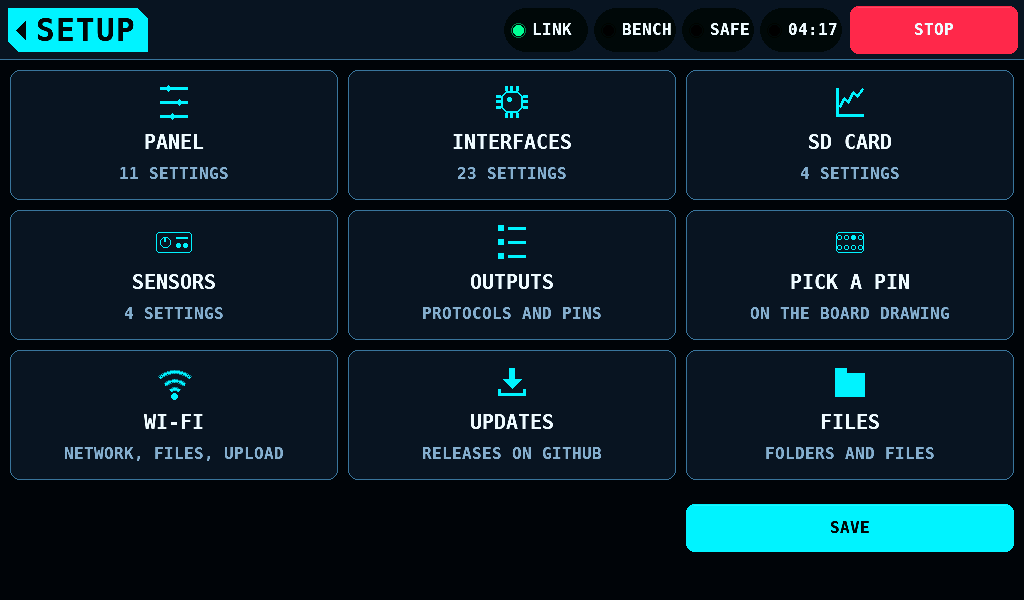
The home tag at the top left climbs one level at a time:
| From | The home tag leads to |
|---|---|
| a category's list | the tiles; the list keeps its position |
| the tiles | the menu; with a value unsaved, the warning first (Leaving with values unsaved) |
| OUTPUTS, PICK A PIN, WI-FI, UPDATES, FILES | the tiles; WI-FI and FILES opened from LOGS go back to LOGS, OUTPUTS opened from TARGET on MOTOR & ESC or SERVO goes back there. A list or a keyboard open on one of them closes first |
Changing a value
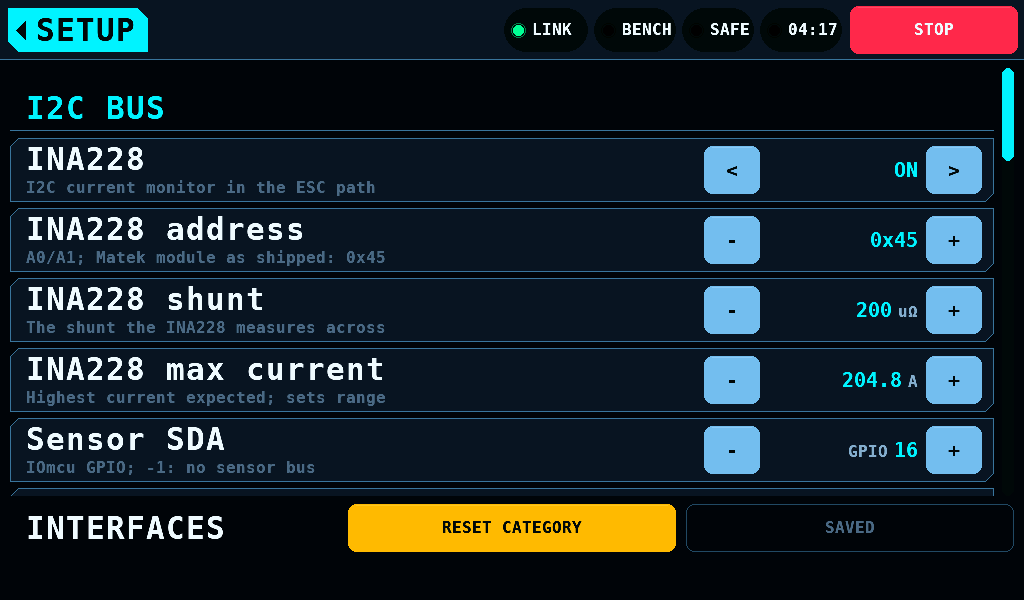
The list is 984px wide and shows 6 rows of 64px. Under it a strip, 48px tall, holds the category's name, RESET CATEGORY and the save button. The strip ends 4px above the band an alert shows across the bottom, so an alert covers no key, row or button.
A row shows the setting, a help line and its value with its unit. A number has - and + keys; a switch or a choice has < and >.
- Tap: a key steps once when the finger lifts within 8px of the press, inside the key.
- Hold: a held key steps first after 0.45s, then 8 times a second, and 30 times a second from 2.25s.
- Scroll: a vertical drag of more than 8px anywhere on the list scrolls it and changes no value.
- Keypad: a tap on a number's value, between its
-and+, opens the keypad over the list. It names the setting, its range and its unit, and takes as many digits after the point as the step has. OK sets the value as a step does, onto the nearer step: 73% brightness is 75%. A value outside the range keeps the keypad open and names the range in the warning colour. A value inside the range that the keys never reach keeps it open and names the reason there instead, in the warning colour:0 or 5.0 to 1000.0mΩfor a shunt between 0 and 5.0mΩ,0 or 10 to 32767mAfor a current limit between 0 and 10mA,Pins the bus takes: 0 4 6 14 16 18 20 26for a Sensor SDA pin the bus cannot have,The other PD mini pin holds this GPIOfor the other PD mini pin's GPIO. The next key brings the range back. CANCEL and the home tag change nothing. -1, a pin not set, is set with-: a pin's keypad has no+/-key. - One finger at a time: a second finger does nothing while one presses or scrolls.
A changed value is in force at once. RESET CATEGORY sets every value of the open category back to its default.
| Button | What it does |
|---|---|
| RESET CATEGORY | the open category's defaults, at once |
| SAVED, SAVE, WHEN IDLE, NOT SAVED | the save button; see below |
Keeping the values
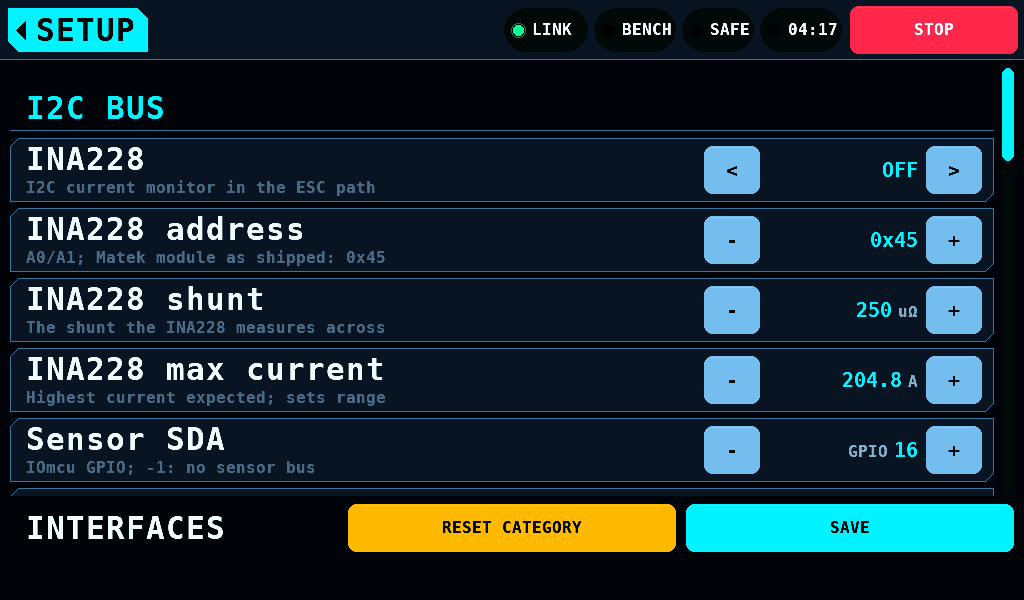
A changed value is not written to flash until SAVE is pressed. A value stepped back to the one stored is no change: the button reads SAVED again, and a write asked for is dropped.
| Label | Meaning |
|---|---|
SAVED | nothing is unwritten; the button does nothing |
SAVE | something is unwritten; a press asks for a write |
WHEN IDLE | the write waits for a quiet bench |
NOT SAVED | the store refused the write; a press tries again |
The write happens on the first frame with the bench SAFE, the supply output off and no board drawing being fetched or kept. While ARMED the button reads WHEN IDLE until the bench is SAFE. Values not saved last until the panel is switched off. Leaving a list or the tiles writes nothing.
NOT SAVED cannot say how much reached the flash: a refusal part way leaves the keys written before it, so the next start can load a mix of new and old values. After a refusal the button stays NOT SAVED or SAVE until a save succeeds, even with every value stepped back.
Leaving with values unsaved
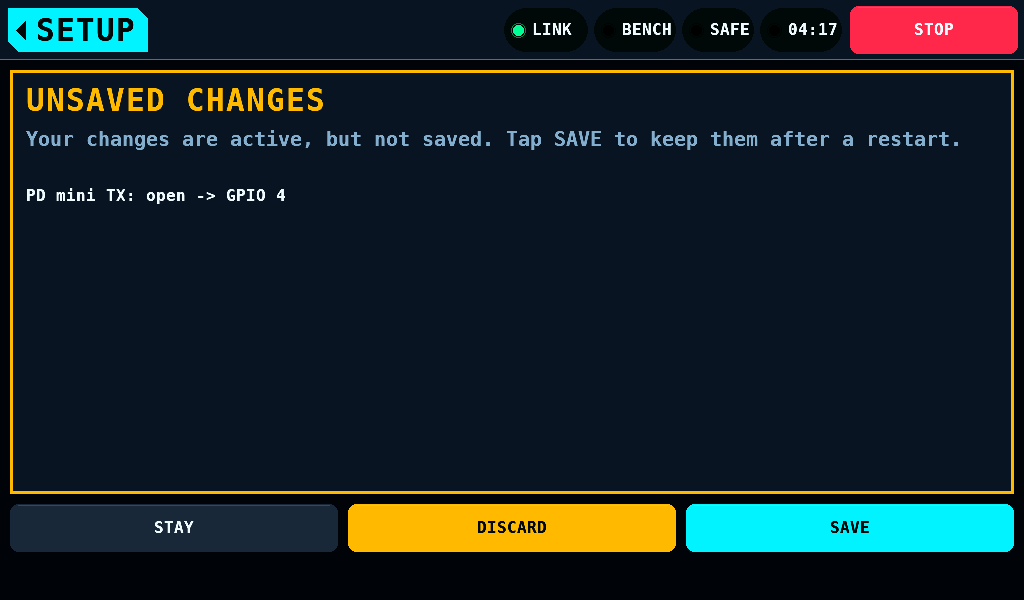
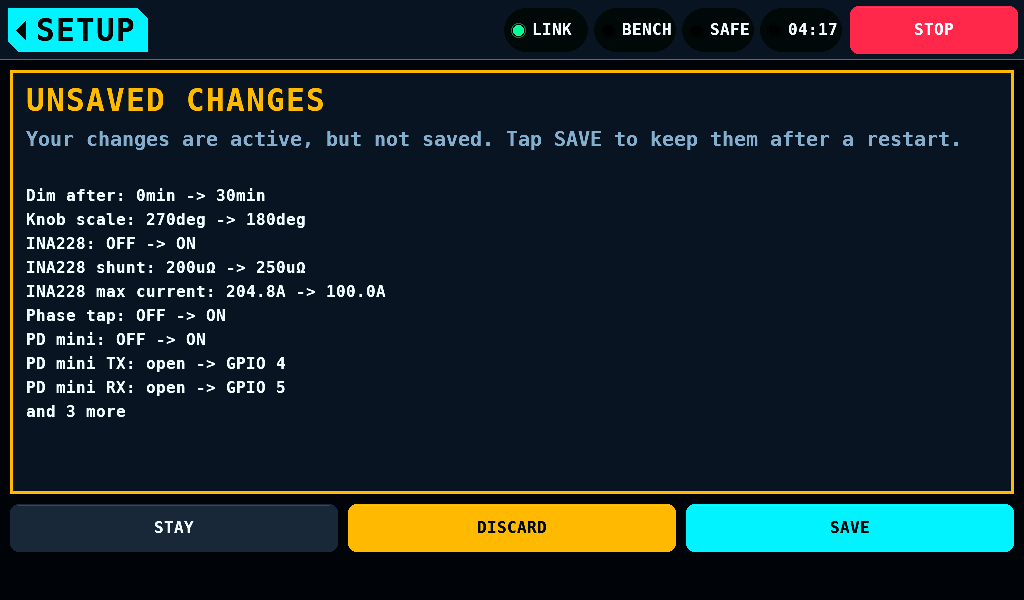
The home tag on the tiles leads to the menu. While the save button reads SAVE or NOT SAVED, it opens a warning first. The warning lists each value that differs from the stored one as name: stored -> now, with the value and unit as the list shows them. The stored values are the ones loaded at start-up or written by the last successful save. The list includes the DUT (device under test) name and the values set on other screens, such as SERVO, ESC STICK or MOTOR & ESC: one save keeps them all.
| Button | What it does |
|---|---|
| STAY | closes the warning; the tiles show again, a list keeps its category and position |
| DISCARD | sets every listed value back to its stored one, as a step by hand would, then opens the menu |
| SAVE | asks for a write, as the save button does, then opens the menu |
- DISCARD sends a pin or a port back to the IOmcu at once. A PD mini wiring set back switches the supply output off, as a change by hand does.
- While the bench is ARMED, DISCARD is dimmed and does nothing; the line
DISCARD waits until the bench is SAFE.says so. STAY and SAVE work. - PWM target and Port PWM are not set back while the servo programmer holds the servo port; they stay unsaved.
- With more than 10 changes, 9 lines show and the last line reads
and 3 morefor 12. - After a refused save the line
Saving failed. Tap SAVE to try again.shows under the list. DISCARD then also asks for a write of the values put back, since the flash can hold part of the refused write.
A change on MOTOR & ESC, SETTINGS asks for a write itself, and that write keeps SETUP's unsaved values too.
No warning shows when nothing is unsaved, when a save is asked (WHEN IDLE), or on the way to OUTPUTS, PICK A PIN, WI-FI, UPDATES and FILES. STOP stops the bench and leaves the warning open. A screen the panel opens by itself, such as the bus-fault screen after a link loss, closes the warning and leaves the values in force and unsaved.
PANEL
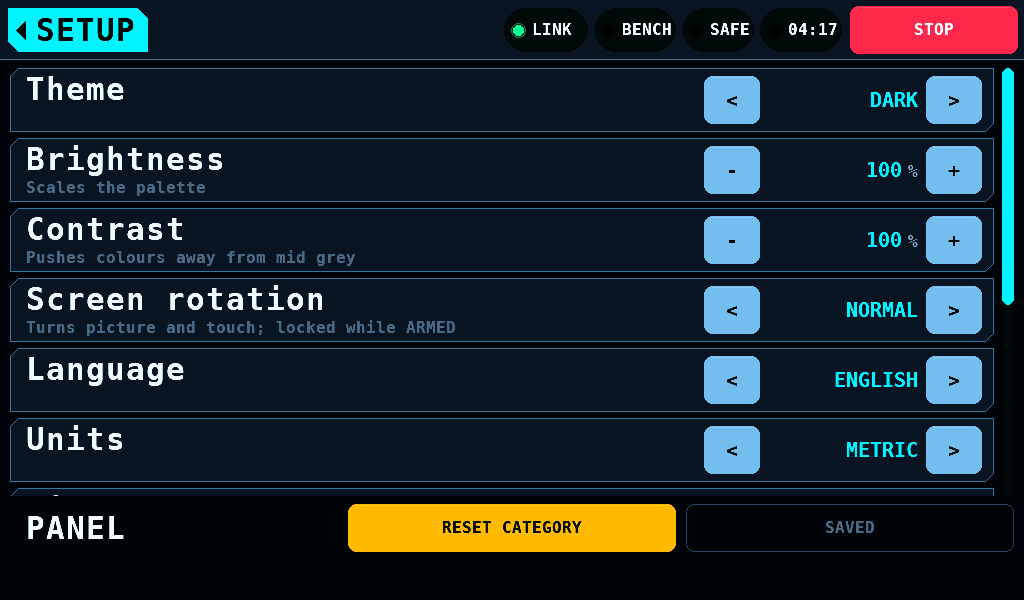
| Setting | Range | Default | What it does |
|---|---|---|---|
| Theme | DARK, LIGHT | DARK | the colour theme, from the next frame |
| Brightness | 20 to 100%, steps of 5 | 100 | scales the palette |
| Contrast | 60 to 140%, steps of 5 | 100 | pushes colours away from mid grey |
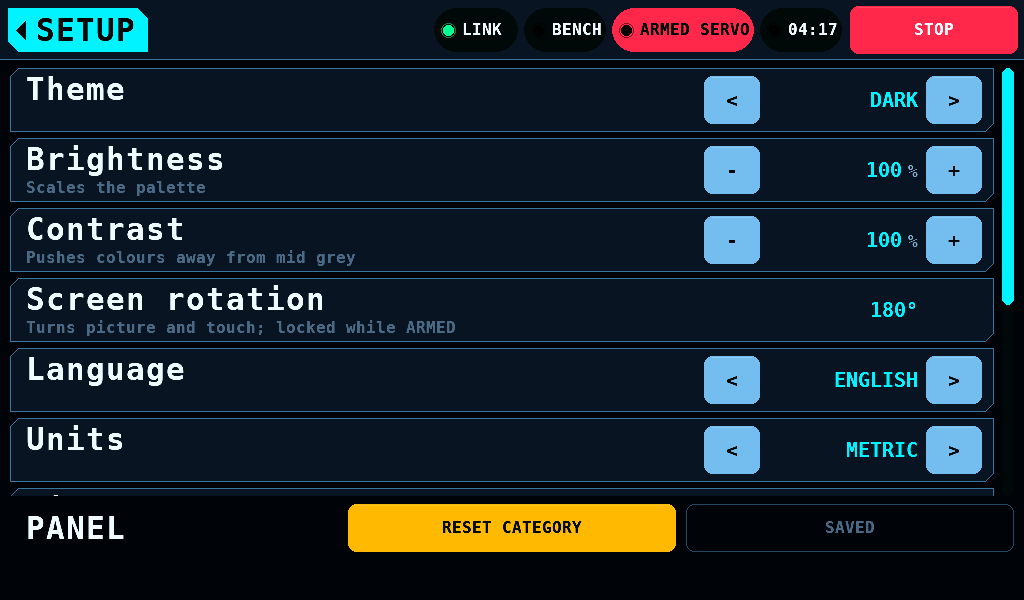
| Screen rotation | NORMAL, 180° | NORMAL | turns picture and touch by 180°, from the next frame; locked while ARMED |
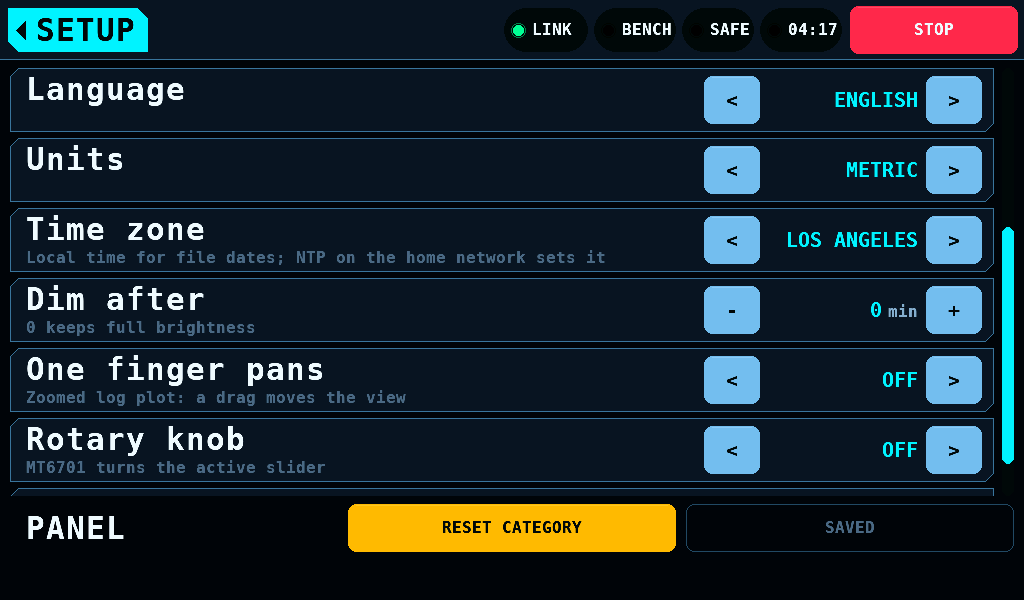
| Language | ENGLISH, DEUTSCH | ENGLISH | the interface language, from the next frame, without a restart |
| Units | METRIC, IMPERIAL | METRIC | stored; no screen uses it in this release |
| Time zone | UTC, LONDON, BERLIN, HELSINKI, NEW YORK, CHICAGO, DENVER, LOS ANGELES, TOKYO, SYDNEY | BERLIN | the zone file dates are written and shown in, daylight saving included |
| Dim after | 0 to 60min, steps of 5 | 0 | stored; no screen uses it in this release |
| One finger pans | ON, OFF | OFF | one finger pans a zoomed plot on Logs |
| Rotary knob | ON, OFF | OFF | an MT6701 at 0x06 on a bus of its own, IO30 and IO31 of header P3 (I2C: Inter-Integrated Circuit), turns the throttle on MOTOR & ESC or the horn on SERVO |
| Knob scale | 90 to 720deg, steps of 10 | 270 | the knob angle that moves the slider across its whole span |
The backlight is on while the panel runs. No setting switches it.
Screen rotation turns the picture as each frame goes out, through the ESP32-P4's PPA (pixel-processing accelerator), and turns touch with it, so every control stays under the finger. A contact at (x, y) in NORMAL is at (1023 - x, 599 - y) in 180°. Touch injector contacts do not turn. The row has no keys while the bench is ARMED. When a frame's copy takes longer than 50ms, picture and touch go back to NORMAL together and the band says so; the setting stays 180°, and the next start turns again.
The panel has no RTC (real-time clock) chip. Its clock starts unset at each power-on and is set by NTP (Network Time Protocol): each join of the home network asks pool.ntp.org once, for at most 30000ms. A join that ends before the answer keeps the radio up for it, 30000ms at most; ARM, STOP, the supply, a log run and an install take the radio down at once. Current limitation: a first DNS (Domain Name System) server of the home network that does not answer delays the request by about 7s after each join. A software restart keeps the clock. FAT stores a file's time as local time at the moment of writing: a later change of Time zone does not move the times of files already on the card. Until an answer, files the panel writes are dated 1980; FILES INFO reads such a date as not known. The access point asks no time server.
The rotary knob
- The knob moves a value by how far it turns, never to where it points. At 270deg a quarter turn moves the throttle 33.3 points.
- It never switches to ARMED. While the bench is SAFE a turn moves nothing and is not kept.
- The first reading after power-up, or after the sensor stopped answering, sets a reference and moves nothing.
- A finger on the throttle track or the SERVO dial owns the value while it is down.
- The sensor is read every 10ms. A step over 90deg between two readings is dropped.
The sensor is an MT6701 in its I2C mode, MODE pin high, at 0x06. Nothing else of the board is on its bus. The panel never addresses 0x14 or 0x5D for it, where the GT911 touch controller answers on the touch bus, nor 0x00 to 0x03 or 0x78 to 0x7F, which the I2C specification reserves. With no sensor fitted, Rotary knob ON probes 0x06 every 100ms. The host tests show that this changes nothing else; on the panel it is not measured. Wiring: Building.
SD CARD
| Setting | Range | Default | What it does |
|---|---|---|---|
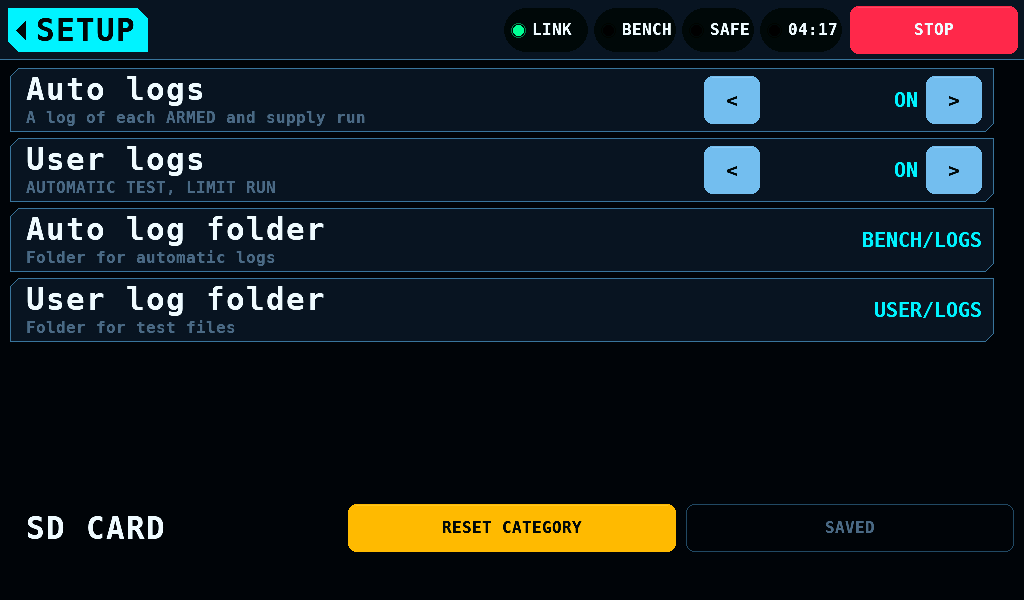
| Auto logs | ON, OFF | ON | a log of each ARMED and supply run in Auto log folder: SERVOnnn.CSV, MOTORnnn.CSV, SUPPLnnn.CSV |
| User logs | ON, OFF | ON | the AUTOMATIC TEST's ATESTnnn.CSV and report and the LIMIT RUN's LIMITnnn.TXT in User log folder |
| Auto log folder | a folder | BENCH/LOGS | where Auto logs writes |
| User log folder | a folder | USER/LOGS | where User logs writes |
- OFF writes no file and takes no number. No card alert of that kind of run shows.
- Auto logs switched off during a run ends that run's file there; switched on during an ARMED or supply run, a file starts there.
- User logs counts at START TEST and START LIMIT RUN: a run keeps what it started with. With it off, the SERVO screen names
USER LOGS OFFwhere the file would be. - REPORT on SERVO > OPTIONS > DUT decides, with User logs ON, whether
ATESTnnn.TXTis written. - The fault log,
BENCH/RCBENCH.LOG, is written whatever Auto logs says. - Logs lists the folders.
A tap on a folder's row opens the keyboard on the folder. Its . key types /. OK takes the folder in upper case; SAVE keeps it. CANCEL and the home tag keep the folder as it was. A folder changed during a run takes the next file; the run finishes where it started, and the next one is numbered from what the new folder holds. Both rows may name one folder.
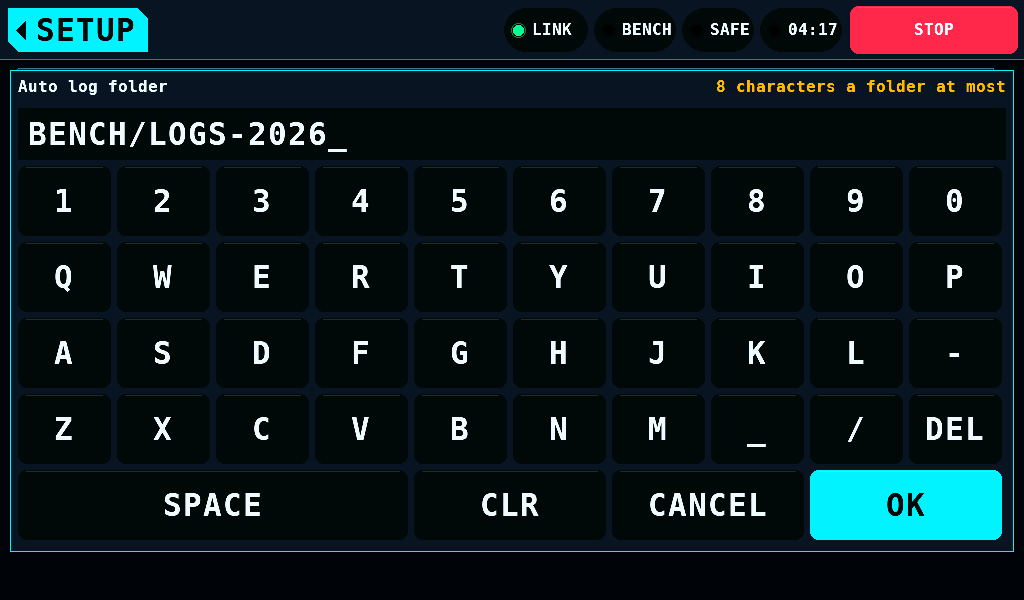
OK keeps the keyboard open, and the folder as it was, for a folder the card cannot take. The line right of the title says why:
| Refused | Example | Line |
|---|---|---|
a folder name empty, or / at the start, at the end or twice | /LOGS, LOGS/, A//B | A folder name is empty |
| over 8 characters in a folder name | BENCHLOGS; BENCHLOG is taken | 8 characters a folder at most |
| over 2 folders | A/B/C; A/B is taken | 2 folders deep at most |
a character other than A-Z, 0-9, _ and - | MY LOGS | A-Z, 0-9, _ and - only |
| a Windows device name: CON, PRN, AUX, NUL, COM1 to COM9, LPT1 to LPT9 | AUX/LOGS | Reserved name |
BENCH/ESC, BENCH/KST or BENCH/HITEC, the bench's own files | BENCH/KST; BENCH/KSTX is taken | Folder of the bench's own files |
INTERFACES
INTERFACES holds the INA228 current monitor, the sensor bus's pins, the output encoder, the phase tap, the vibration sensor, the optical tacho, the PD mini and the Hitec receive mode. The list has five headings: I2C BUS, PHASE TAP, BALANCE SENSORS, SUPPLY and PROG PORT. Interfaces describes them.
SENSORS
SENSORS holds up to four INA3221 current monitors: which are fitted, each channel's shunt and what each channel measures. Sensors describes them.
Related pages
- Interfaces
- Sensors
- Outputs and Pin picker
- Updates
- Supply, Servo settings and Motor settings: the settings kept on their own screens.