Logs
LOGS reads the panel's SD (Secure Digital) card: it lists the CSV (comma-separated values) files of one folder and its reports, shows what the import found in a CSV file, plots up to 4 of its columns, and shows a report as text. Three tabs at the top left choose the folder, in this order: ROOT (the card's root), USER (User log folder, USER/LOGS by default) and BENCH (Auto log folder, BENCH/LOGS by default). It opens from the LOGS tile on the menu. WI-FI, at the bottom left, opens Wi-Fi, and FILES beside it opens Files: copy, move, rename and delete on the card. The home tag climbs one level, as BACK does: the plot to the import view, the import view and a report's text to the file list, the file list to the menu. Over the DELETE question it is CANCEL.
No card
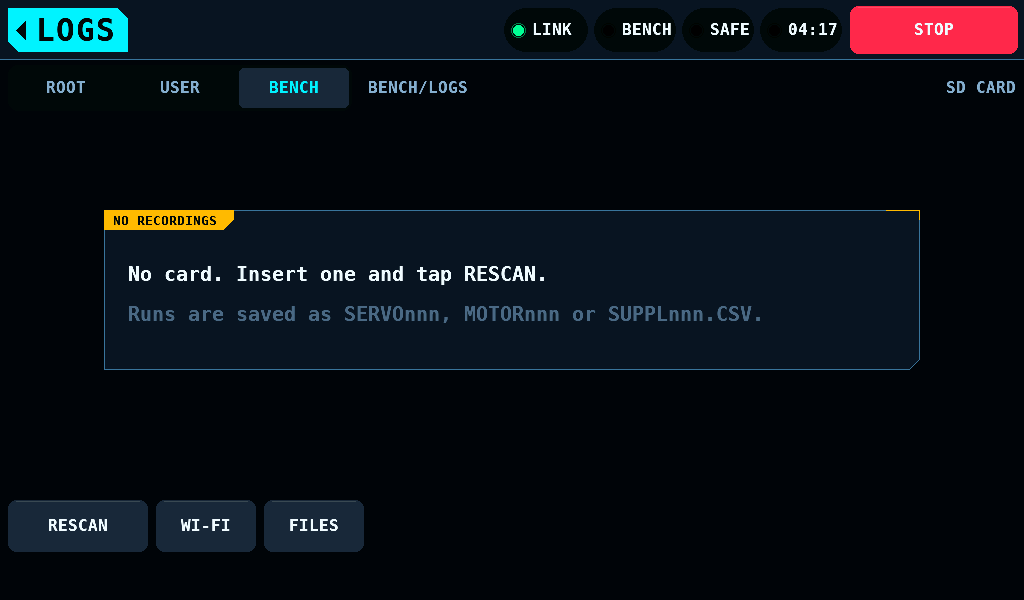
With no card mounted, the box reads NO RECORDINGS and No card. Insert one and tap RESCAN. An empty folder, or one not made yet, reads No .csv files in BENCH/LOGS. or No .csv files in USER/LOGS., and the root without a CSV file reads No .csv files in the top-level folder. The line under it says what the tab holds: Runs are saved as SERVOnnn, MOTORnnn or SUPPLnnn.CSV., Tests are saved as ATESTnnn.CSV and LIMITnnn.TXT. or Runs of firmware 0.21.0 and older. With AUTO LOGS or USER LOGS off on SETUP > SD CARD, BENCH or USER reads AUTO LOGS OFF in SETUP > SD CARD. or USER LOGS OFF in SETUP > SD CARD. instead. RESCAN reads the card again. With no card the tabs switch as with one, and each tap on a tab looks for a card again.
A card that does not mount
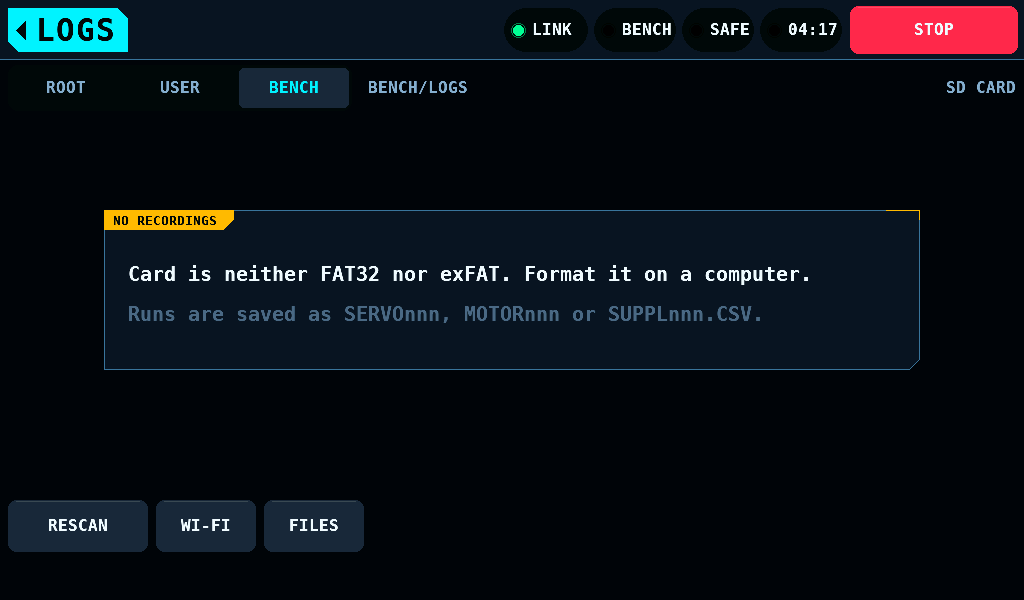
A card in the slot that holds NTFS (New Technology File System), a GPT (GUID partition table) or no format reads Card is neither FAT32 nor exFAT. Format it on a computer. A card that does not mount for another reason reads Cannot read the card. Check it on a computer, then tap RESCAN. Card formats says what mounts and how to format a card. Formatting erases the card. RESCAN mounts the card put back.
The file list
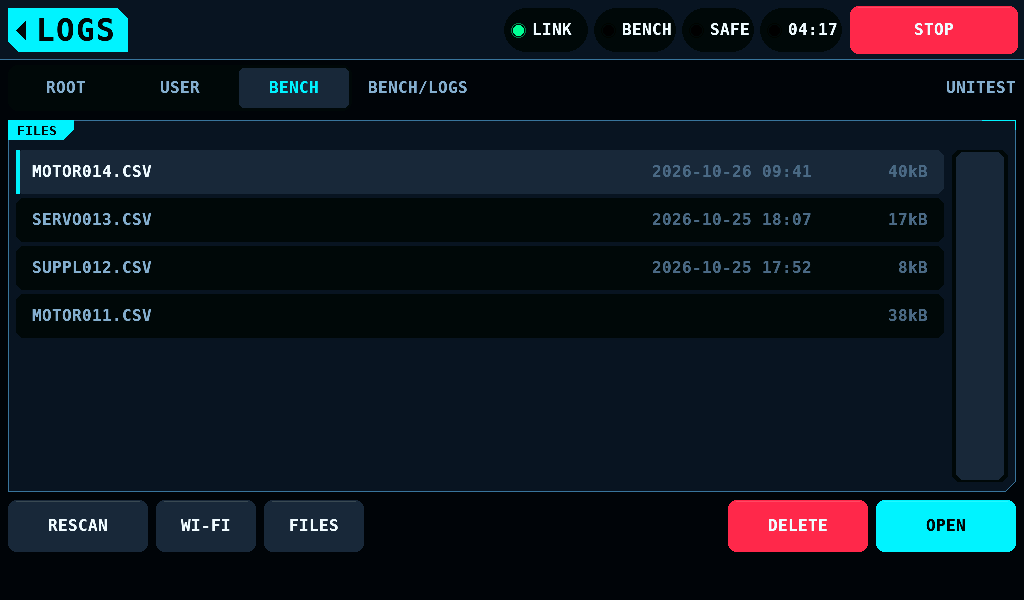
The header shows the folder on screen, BENCH/LOGS, right of the tabs, and names the card by its volume label, UNITEST, at the right end of the row; a card without a label shows the name the card reports, or SD CARD. The list shows 7 rows at a time, each 48px (about 7.2mm) of the glass to tap; each row is one file with its size.
| Tab | Folder | Holds |
|---|---|---|
| ROOT | the card's root | the runs of firmware 0.21.0 and older |
| USER | User log folder, USER/LOGS by default | the AUTOMATIC TEST's and the LIMIT RUN's files |
| BENCH | Auto log folder, BENCH/LOGS by default | the automatic log of each ARMED and supply run |
LOGS opens on the tab of the file the panel wrote last, and on BENCH after a start until one is written. Back on LOGS with nothing written since, the tab stays as it was left. A tap on a tab reads its folder from the first page.
| Button | What it does |
|---|---|
| RESCAN | reads the page on screen again and selects its newest run |
| PREV, NEXT | the page before and after; shown with more than 48 files on the card |
| WI-FI | opens Wi-Fi |
| FILES | opens Files |
| DELETE | asks, then removes the selected file; grey with nothing selected |
| OPEN | opens the selected CSV file in the import view, a report as text; grey with nothing selected |
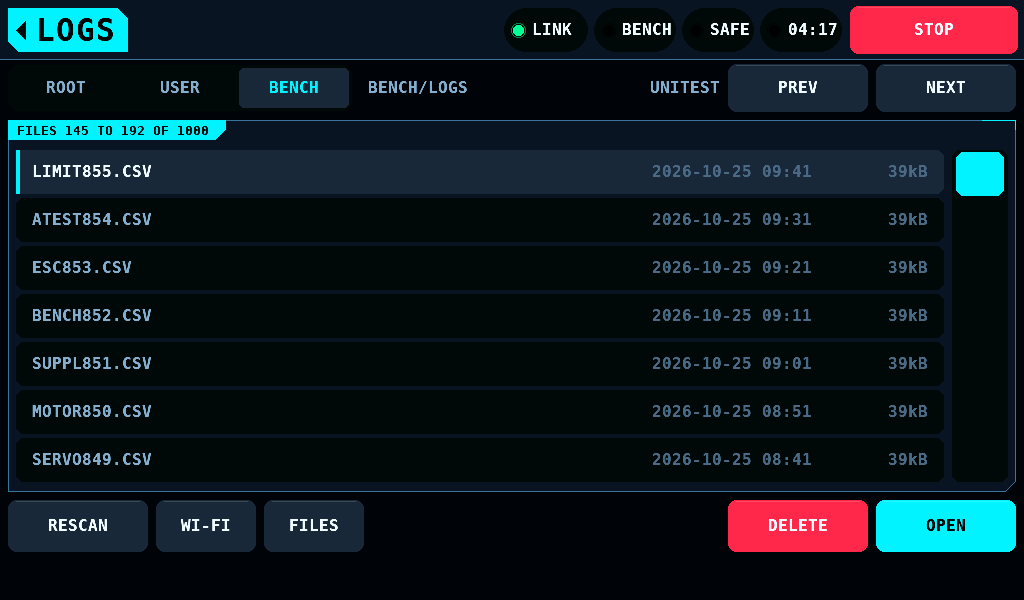
- A page holds 48 entries; a card holds up to 999 runs. Pages run newest run first, a report by its own number and after its run's CSV, then the files the bench did not write, and the rows of a page run the same way, the newest run at the top. With more than 48 files the tab names the page's part of the card,
FILES 145 TO 192 OF 1000. - Pages are cut from the top, 48 at a time. With fewer than 48 entries ahead of the page on screen, for example after a run was recorded, PREV shows the first page.
- Runs recorded while a later page is open are on page 1. PREV back from page 3 or later then passes over as many entries as were recorded; NEXT from page 1 shows them, and the tab numbers show the shift.
- The scroll bar at the right edge, 56px (about 8.4mm) wide, scrolls within the page: tap the track to jump, drag the thumb to scroll.
- Opening LOGS reads the card: the first page, its newest run selected. A run recorded while LOGS was closed is listed without RESCAN.
- On a page past the first, RESCAN reads from that page's first entry; when the card now holds fewer entries, it shows the last page.
- After DELETE the page is read again and the scroll stays; nothing is selected, so DELETE and OPEN are grey until a row is chosen.
- A card put in, taken out or swapped while the panel runs is found by the next RESCAN, the next opening of LOGS, the next page or OPEN, and the next run's start, with no restart. A new card opens on its first page; an empty slot says
No card. Insert one and tap RESCAN.. - Newest means the highest number in the name. A file's date is only as good as the panel's clock: it starts unset at each power-on, and until NTP sets it on the home network the panel dates files 1980 (Setup).
- A run being written is not listed. Its number in another folder is.
- A row takes a tap. A drag of more than 8px on the rows scrolls the list and selects nothing.
What a run writes
One file is one run, in the folder of its kind. Its name says what started it:
| Folder | Name | Run |
|---|---|---|
BENCH/LOGS | SERVOnnn.CSV | one switch to ARMED from SERVO |
BENCH/LOGS | MOTORnnn.CSV | one switch to ARMED from MOTOR & ESC's ARM or a stick run on its PROGRAM |
BENCH/LOGS | SUPPLnnn.CSV | one switch-on of the SUPPLY output while the bench is SAFE |
USER/LOGS | ATESTnnn.CSV | one AUTOMATIC TEST; its report is ATESTnnn.TXT |
USER/LOGS | LIMITnnn.TXT | one LIMIT RUN's report, with no CSV beside it |
| root | BENCHnnn.CSV, ESCnnn.CSV, SERVOnnn.CSV | runs of firmware 0.21.0 and older; in the root, SERVOnnn is a servo test |
| root | SERVOnnn.TXT alone | a limit run of firmware 0.21.0 and older |
The name follows the screen whose ARM armed the bench, also on an IOmcu older than 0.18.0, which arms the throttle outputs with every switch to ARMED.
AUTO LOGS off on SETUP > SD CARD writes no file to BENCH/LOGS and takes no number; USER LOGS off writes none to USER/LOGS, and the SERVO screen names USER LOGS OFF in place of the file. Both are on after a start from a new panel or an update.
Auto log folder and User log folder on SETUP > SD CARD set other folders. A changed folder takes the next file, numbered from what that folder holds. Files left in a folder used before are not listed until the folder is set back.
The panel makes each folder the first time it writes there, one level at a time. A file named BENCH or USER in the root stops that: the band reads Cannot make folder BENCH/LOGS. Run not recorded.
Each folder has its own series: a new run takes one above the highest number in its folder, whichever name carries it, the names of firmware 0.21.0 included. A gap left by a deleted file is not filled. A folder holding a number 999 takes no further run, with lower numbers free or not. The list shows every report, a .TXT file named like a run: ATESTnnn.TXT beside its ATESTnnn.CSV or without it, LIMITnnn.TXT, and in the root SERVOnnn.TXT of firmware 0.21.0 and older. A run and its report are two rows, the CSV first. DELETE on the run removes its report too. Any other .TXT file is not listed; FILES shows it. The list shows runs newest first by number, across all names: MOTOR043.CSV, then SERVO042.CSV, then SUPPL041.CSV.
Firmware 0.21.0 and older writes to the root and does not read BENCH/LOGS or USER/LOGS.
A run is committed to the card every 20 rows or 1000ms, whichever comes first. A power loss mid-run costs under 1.0s of rows while the card keeps up, up to 84 rows, 4.20s at 20Hz, when it has stalled.
The band reports what the card did to a run:
| Message | Meaning |
|---|---|
No card. This run is not being recorded. | nothing is mounted |
Cannot make folder BENCH/LOGS. Run not recorded. | a level of the folder cannot be made: a file holds its name, or the card takes no new folder |
Cannot read the card. Run not recorded. | the card does not list |
Card full or not writable. Run not recorded. | no run file could be created |
Card too slow. Run not recorded. | every row was dropped |
The card was too slow. Some data is missing from the recording. | some rows were dropped; the time column shows where |
Data can no longer be saved to the card. Recording stopped here. | a write failed mid-run |
Data could no longer be saved to the card. Recording incomplete. | the same, said again when the run closes |
The last write to the card failed. Recording incomplete. | the rows since the last commit are not in the file |
The first five leave no file. The last four leave a file that stops early.
A report
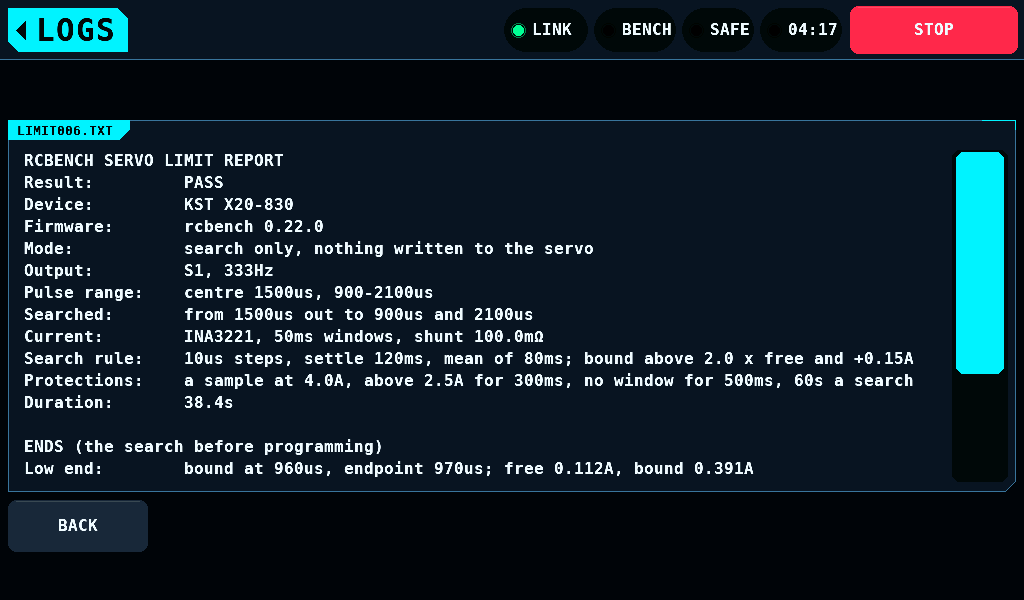
OPEN on a report shows its text: the file's name heads the panel, 15 rows of up to 92 characters show at once.
- A line longer than a row breaks at its last space; a word longer than a row is cut at the row's end.
- A drag on the rows or on the scroll bar scrolls them. BACK returns to the list and frees the text; leaving LOGS frees it too.
- A line ends at a line feed, at a carriage return and at a pair of both.
- A file of 0 bytes shows
The file is empty. - The view holds the first 32KiB of a file. A longer file ends with
Only the first 32kB are shown. - A report that cannot be opened stays on the list, and the footer says why, for example
Cannot open LIMIT044.TXT.
Wi-Fi downloads every report as well.
The import view
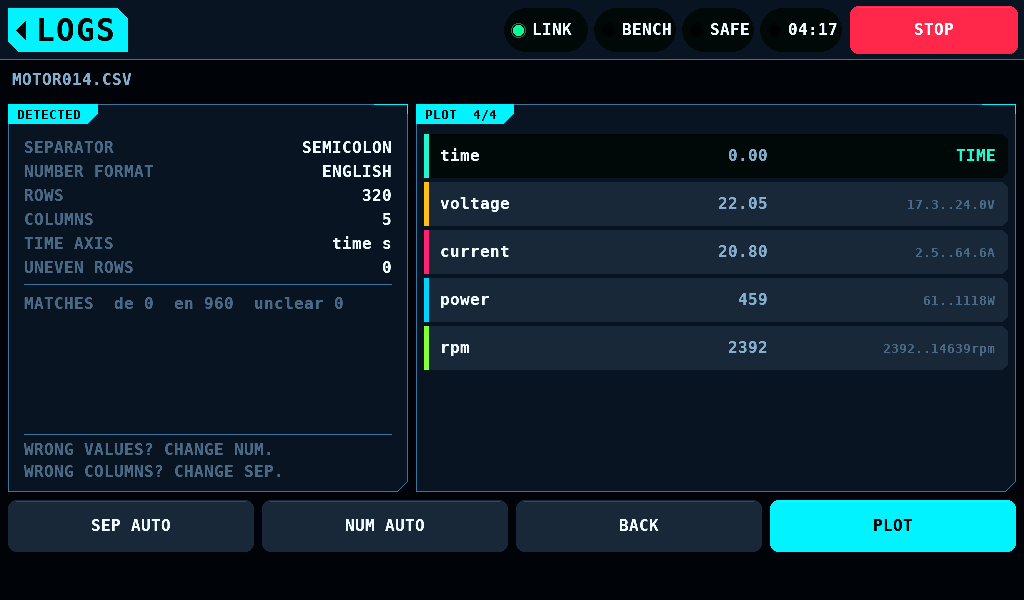
OPEN reads the file and shows what it decided before anything is plotted.
| Line | Shows |
|---|---|
| SEPARATOR | SEMICOLON, COMMA, TAB or PIPE |
| NUMBER FORMAT | ENGLISH (decimal point) or GERMAN (decimal comma) |
| ROWS, COLUMNS | the data rows and columns found |
| TIME AXIS | the column taken as time, or ROW INDEX |
| UNEVEN ROWS | rows with another cell count than the header |
| EVIDENCE | the cells that proved German, English or neither |
The right list names each column with its first value and its range, lowest to highest. A file opens with up to 4 columns chosen: in a SERVO file pulse, angle, current and voltage, each where it holds numbers, then the next numeric columns; in any other file its first 4 numeric columns. A tap on a numeric column adds it to the plot or takes it off; the title counts them, PLOT 4/4. SEP and NUM step through the choices, AUTO first, when the values or columns look wrong. BACK returns to the list; PLOT draws the chosen columns.
A last row without a line feed is a row cut off by a power loss or a full card. It is left out, ROWS shows in the warning colour and the view reads INCOMPLETE LAST ROW. SKIPPED..
The plot
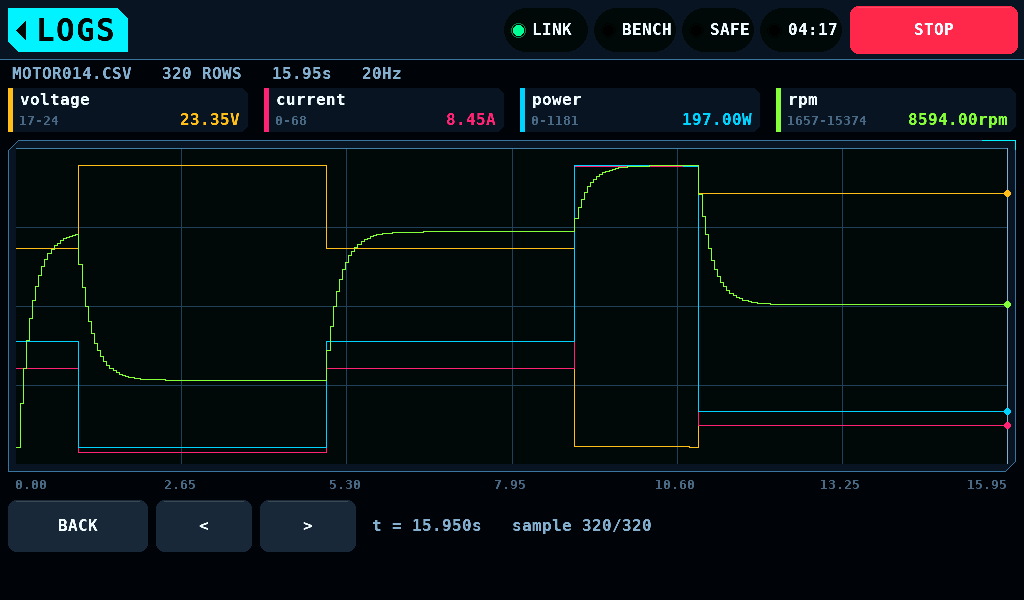
The header names the file, its rows, its duration and its sample rate. Each column has a chip with its range and the value at the cursor.
- One finger,
<and>move the cursor. The line at the bottom right shows its time and sample. - Two fingers zoom: spread to zoom in, pinch to zoom out, move both to pan. The narrowest view is 8 samples, the widest the whole run.
- With SETUP, PANEL, One finger pans on, a finger that moves more than 10px drags a zoomed view sideways.
- BACK returns to the import view.
The rows are spaced evenly by row number. The labels under the plot are the file's time column, so a gap in the rows is a jump in the labels.
Deleting a file
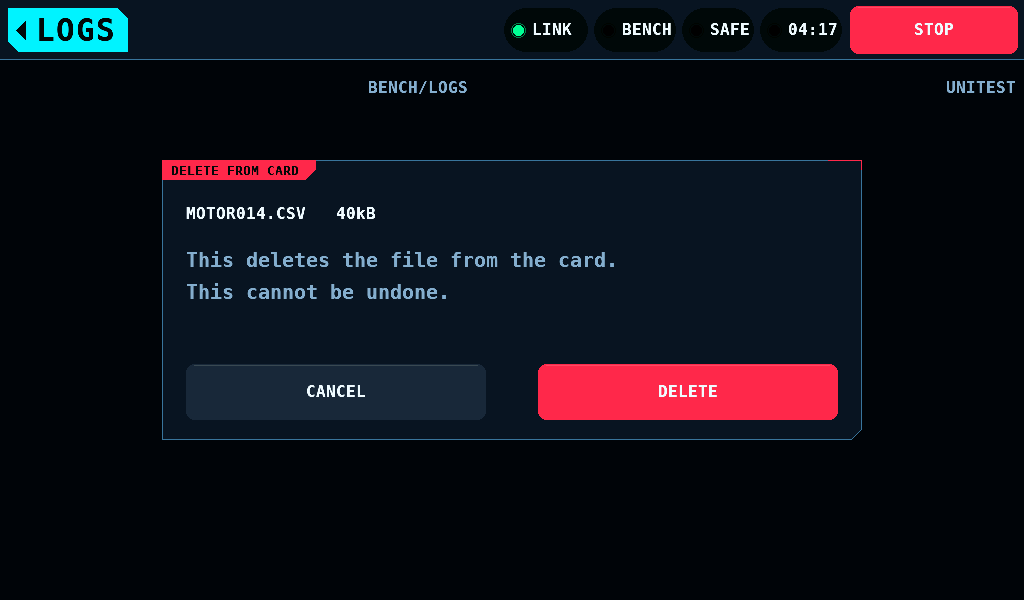
DELETE opens a question that names the file and its size. Only its own DELETE, pressed and released on that button, removes the file. CANCEL, or leaving the screen, deletes nothing. The run the logger has open is refused.
Card formats
The panel reads cards formatted FAT12, FAT16, FAT32 or exFAT (extended File Allocation Table): the whole card, or the first of the 4 partitions of an MBR (master boot record) that holds one of them. SDHC cards (4GB to 32GB) come as FAT32, SDXC cards (64GB to 2 TB) as exFAT; both mount as they come.
- Not supported: GPT (GUID Partition Table; GUID: globally unique identifier) partitioning, volumes over 2 TiB, NTFS, ext4, HFS+ and APFS. Such a card does not mount. The panel never formats a card.
- To format a card, use the SD Association's SD Memory Card Formatter, or on a computer FAT32 or exFAT on an MBR (on macOS: Scheme
Master Boot Record). - A file of 4GiB and more on an exFAT card is listed with its size, for example
8.00GB. OPEN reads files up to 2GiB less 1 byte; a larger one stays on the list and OPEN saysBENCH001.CSV is 2GB or larger. Not opened.Wi-Fi downloads it.
Related pages
- Wi-Fi: download the card's files in a browser.
- Motor and ESC, Supply and Servo: the runs these files hold.