ESC STICK
ESC STICK sets an ESC (electronic speed controller) through its throttle-stick menu. The bench powers the ESC from the PD mini supply, moves the throttle to the positions the ESC profile names, and counts the menu's beeps as pulses in the supply current. It opens from the row ESCs by throttle stick on MOTOR & ESC's PROGRAM, full width under the output strip.
No ESC has been recorded and no profile is verified. Every beep time is a default kept as a setting. DONE means every selection move was made on a counted group, not that the ESC stored it.
Before a run
- Take the propeller off. A run moves the throttle to MAX and back while the ESC is powered. In rare cases a motor may start and run.
- Leave the motor on the ESC, mounted solid, or fit a resistor load across the motor leads in its place. The beeps are counted from the current either way.
- Connect the ESC's signal lead to a pin bound as a throttle on Outputs: MOTOR PWM or a DShot entry.
- Connect the ESC's power leads to the supply output. Enable the PD mini on Interfaces.
- Switch the supply output off.
RUN opens nothing while one of these is missing, and the line beside RUN names the reason, for example No throttle pin assigned. Assign one on OUTPUTS. or Supply is simulated. RUN needs a PD mini.. RUN needs a supply reading no older than 1000ms that reports the output off with at most 20mA for 200ms.
Makers and models
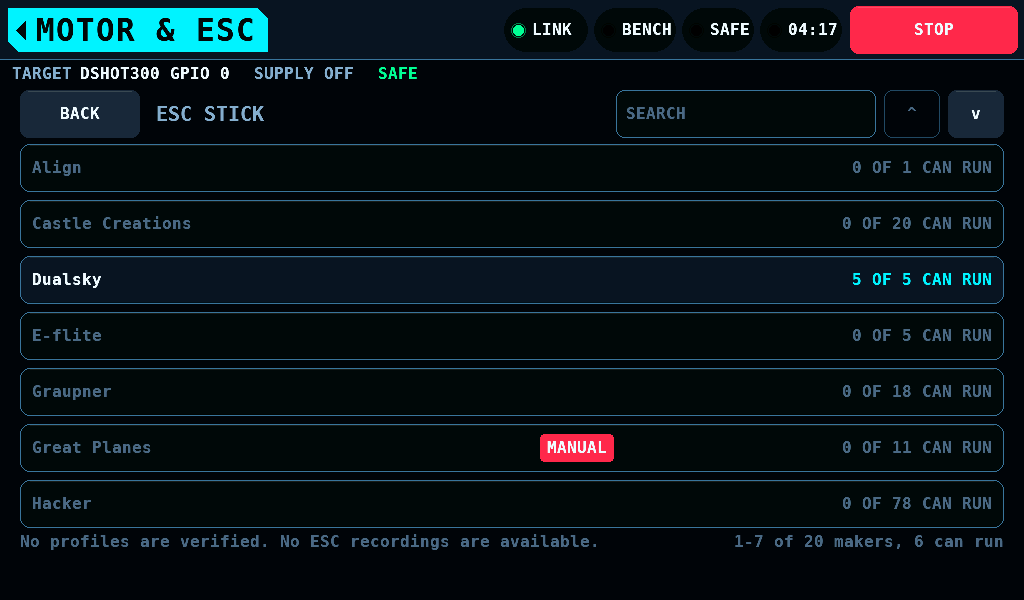
The list has two levels.
- Makers: alphabetical, each with how many of its models run,
10 OF 82 CAN RUN. A maker none of whose models runs is drawn dark. A tap opens its models. - Models: by current, then voltage, then name. A row shows the model, its current and voltage, its family, and what its profile is or why it does not run. BACK returns to the makers.
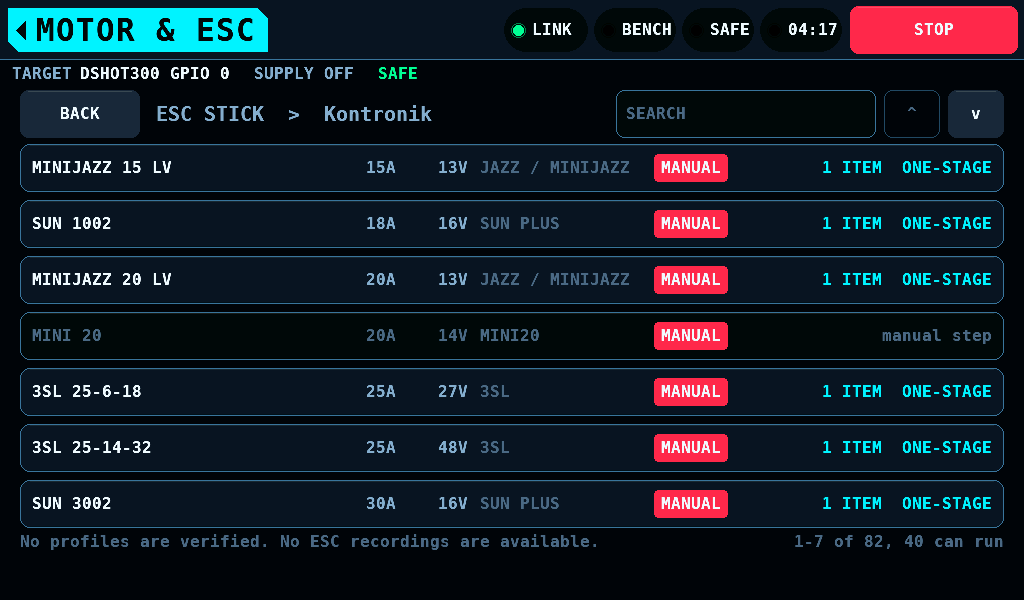
A red MANUAL tag marks a model whose ESC needs a person at it during the run.
Search
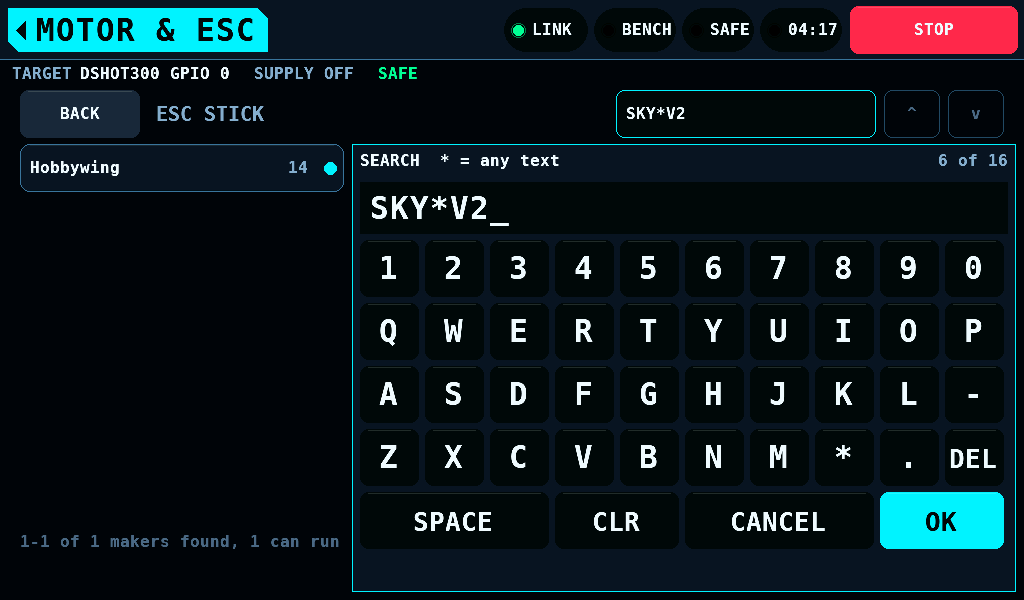
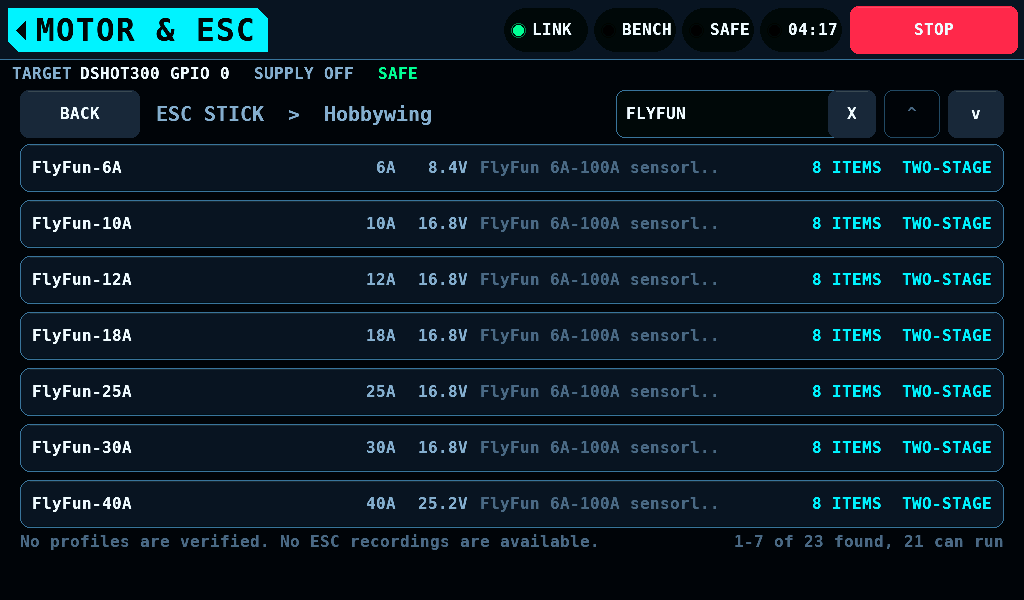
SEARCH filters the level showing. Its keyboard docks on the right and every key filters at once.
- A model is found when the text appears in its maker and family read as one text, or in its maker and its own name.
- Case does not matter.
*stands for any run of characters:sky*v2finds the Skywalker V2 models. - The search holds up to 16 characters and stays on both levels until a restart.
- OK keeps the search, CANCEL goes back to the search the keyboard opened on, and X in the field clears it.
A profile
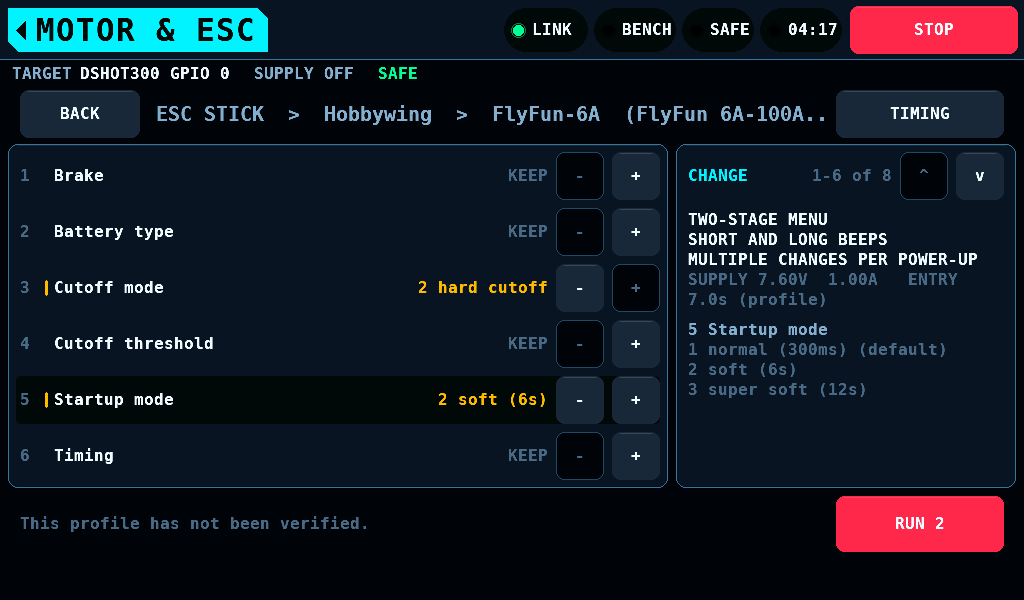
A profile's page lists its menu items. Each starts at KEEP, which leaves the item as it is. - and + move through the item's values and stop at either end. ACTION, NOT A SETTING marks an item that is an action, such as a reset; NO OPTIONS an item with one value. A page shows 6 items. The column at the right holds CHANGE with the items shown and ^ and v, which scroll them; MANUAL INTERVENTION REQUIRED where the profile has manual steps; the menu's kind, the supply's voltage and current for the run and the entry time; and the selected item's values and the default. RUN counts the values picked.
TIMING opens the beep timings and the supply settings, laid out the same way:
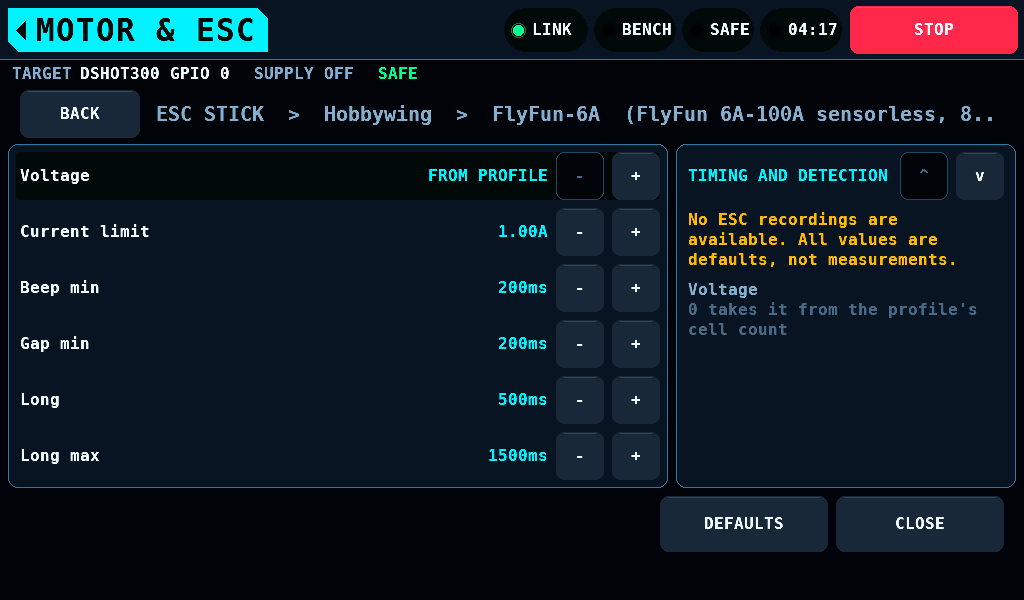
None of the timings is measured. CLOSE asks for them to be saved; the save waits for the bench SAFE and the supply output off.
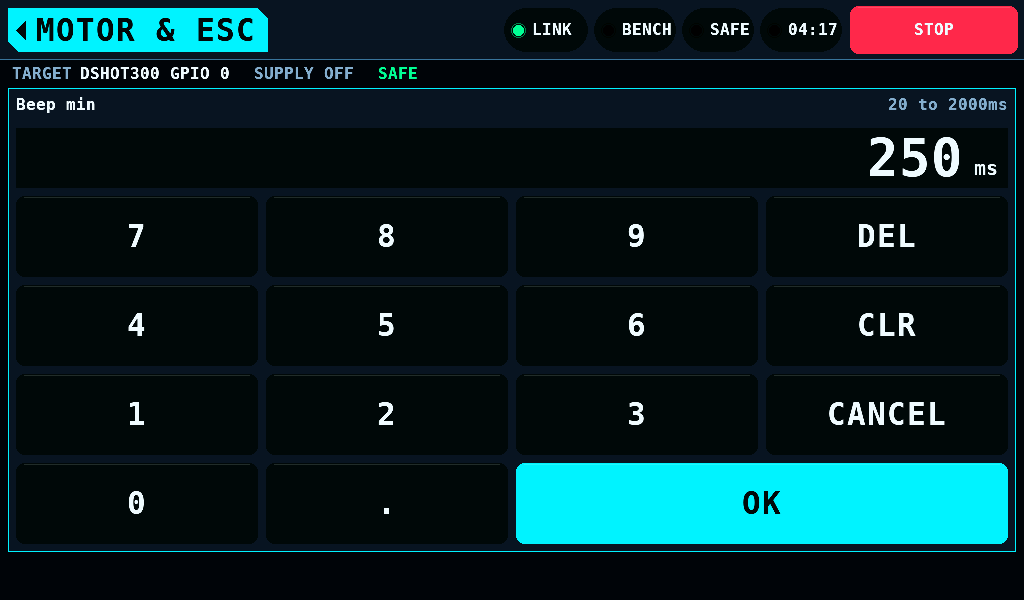
- and + step a row. A tap on its value opens the keypad over the page. It names the setting, its range and its unit, and takes the step's digits after the point. OK sets the value as a step does, onto the nearer step: 1.23A is 1.25A. A value outside the range keeps the keypad open and names the range in the warning colour. CANCEL and the home tag change nothing; TIMING stays.
The warning and the run
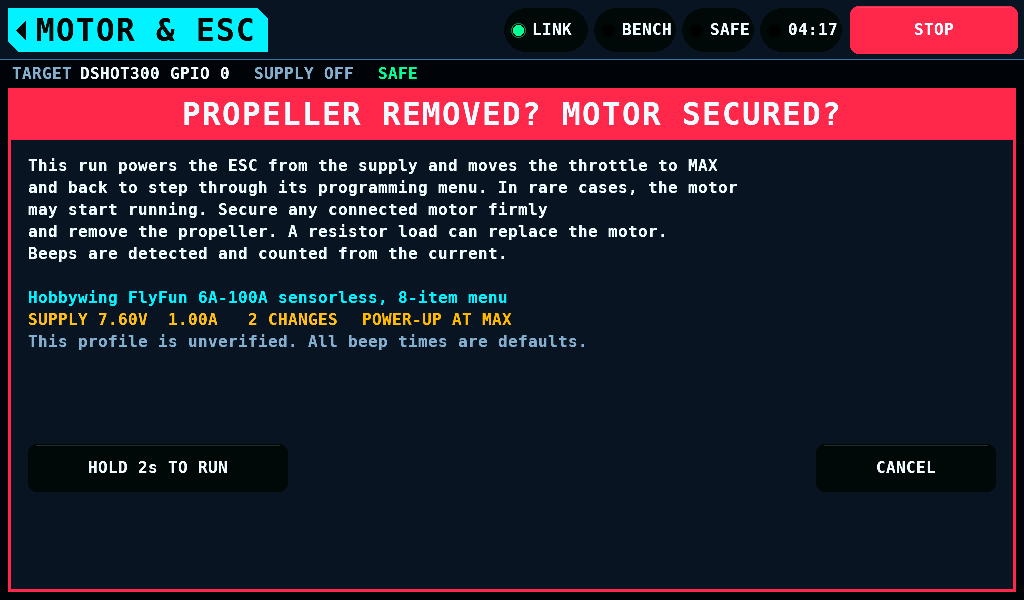
RUN opens a warning over the whole screen: PROPELLER REMOVED? MOTOR SECURED?. It names the profile, the supply's set points and the number of changes. HOLD 2s TO RUN starts the run after a 2s hold, as ARM does. A finger that leaves the button or a STOP during the hold abandons it; CANCEL or the home tag closes the warning.
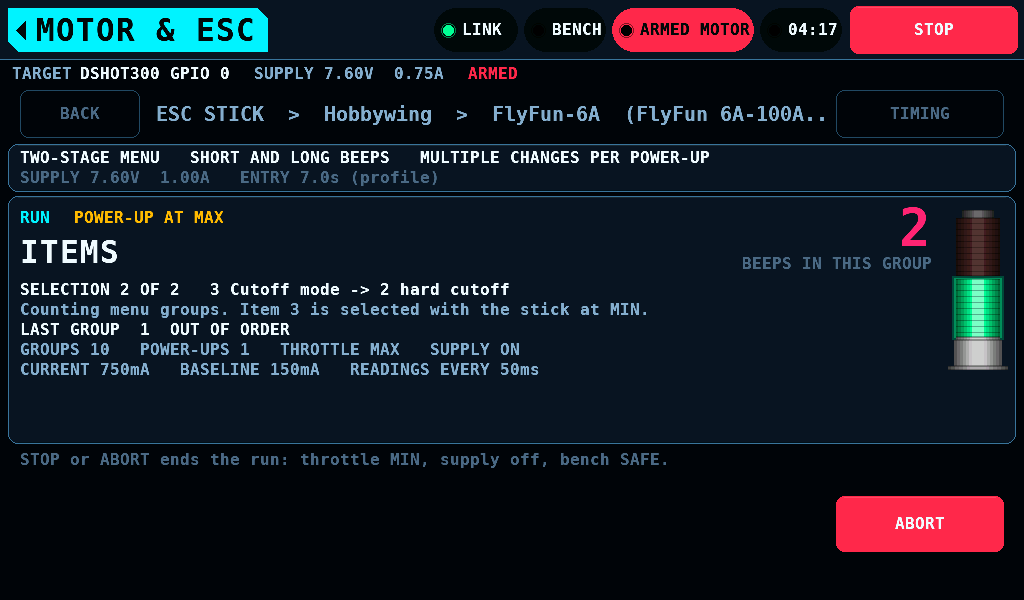
The run switches the bench to ARMED MOTOR. The page shows the phase, the beeps of the group under way, the last group and whether it was in order, and the current against its floor. ABORT, the home tag, STOP and leaving the screen end the run with the throttle at MIN, the supply off and the bench SAFE. After ABORT or the home tag the result stays on the page.
The stack light's green is lit while a beep is detected, for at least 150ms.
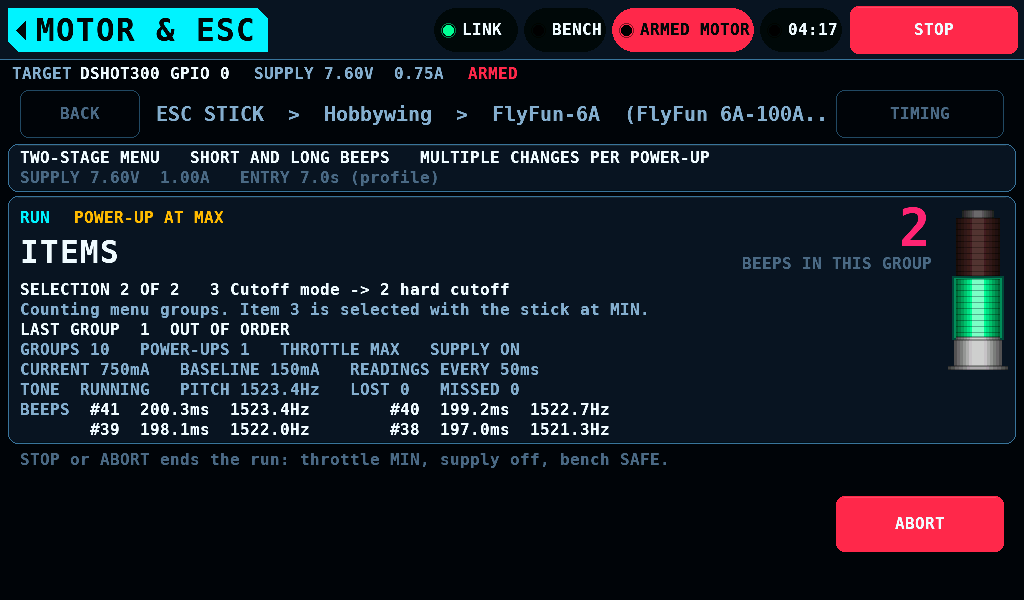
With the phase tap enabled on SETUP, INTERFACES, the page adds a read-only readout: the tap's state, the pitch of its last 8ms window, the counts of beeps lost and not read, and the last 4 beeps with number, length in ms and pitch in Hz. The run still counts its beeps from the supply current.
| Tap state | Meaning |
|---|---|
RUNNING | the capture runs |
OVERRUN | it runs, and the capture overran since the tap was enabled |
WAITING | no link, or no fresh answer from the IOmcu's tone page in the last 500ms |
NO TONE PAGE | the IOmcu is older than 0.14.0 |
PIN NOT FREE | the tap's pin is bound elsewhere |
NOT RUNNING | enabled, and the set-up was refused or is not written yet |
The result
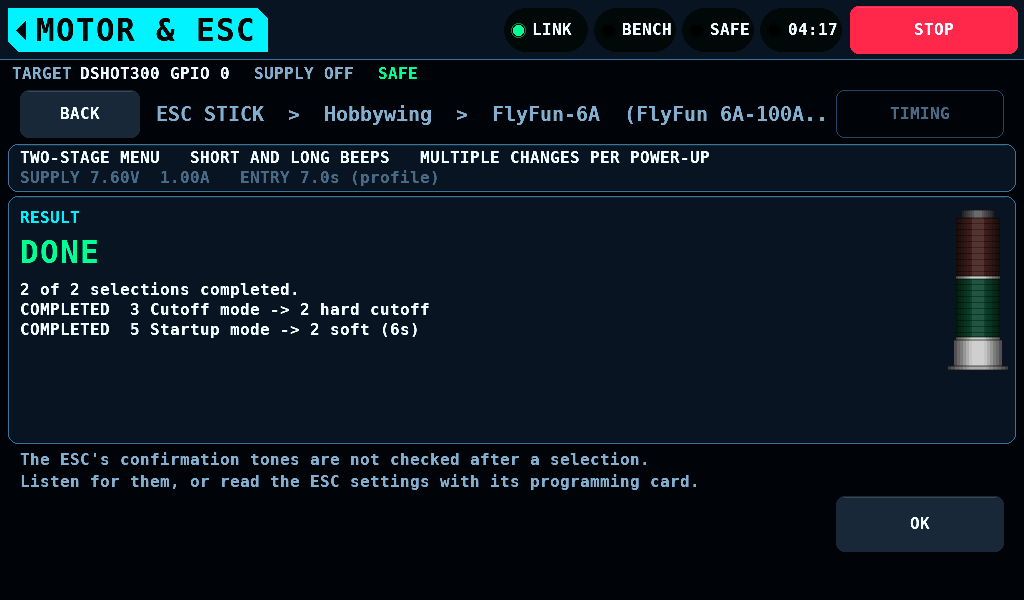
The result stays until OK: which selections were made, and for an ended run the reason.
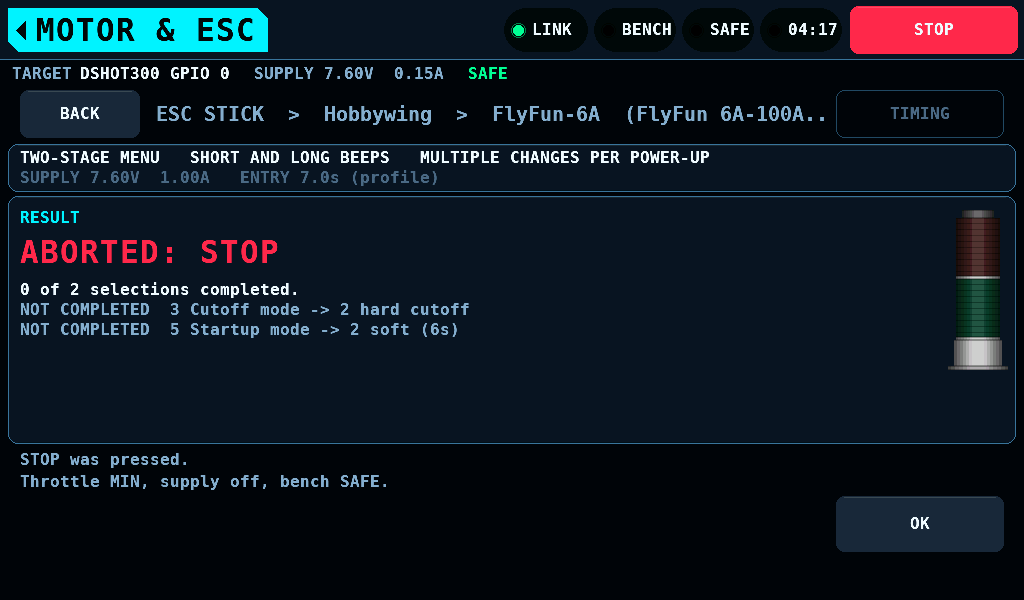
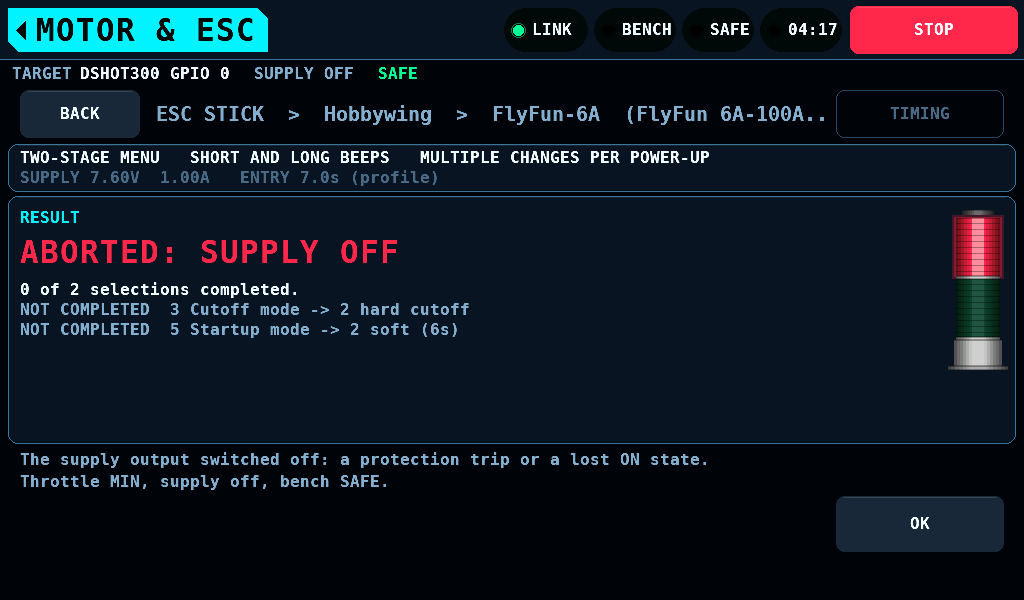
The stack light's red is lit when the run ended because something was not as expected, a stop the bench raised itself included. It stays dark on DONE, a STOP pressed, ABORT, the home tag and leaving the screen.
Manual steps
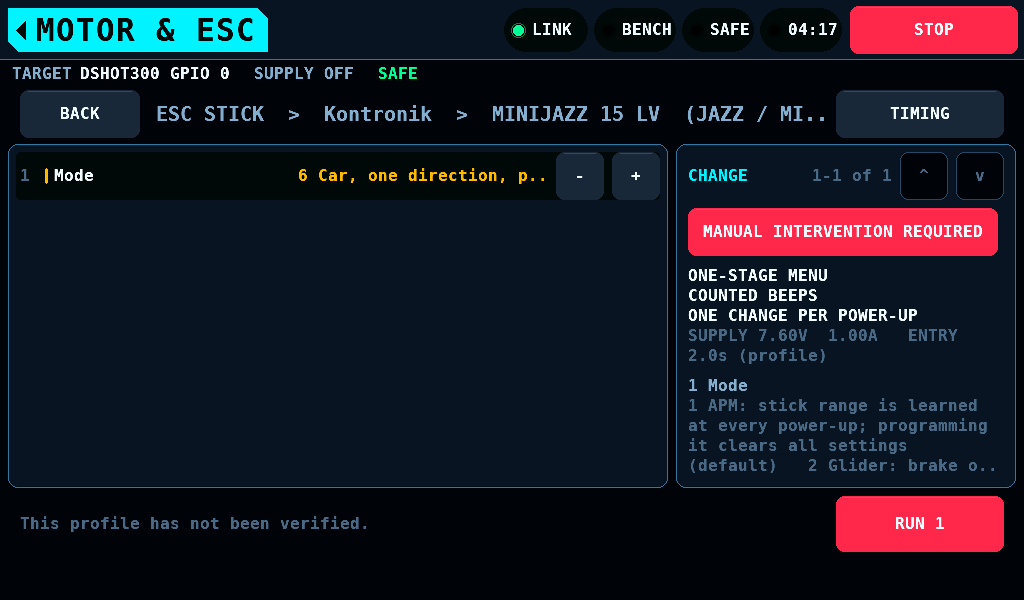
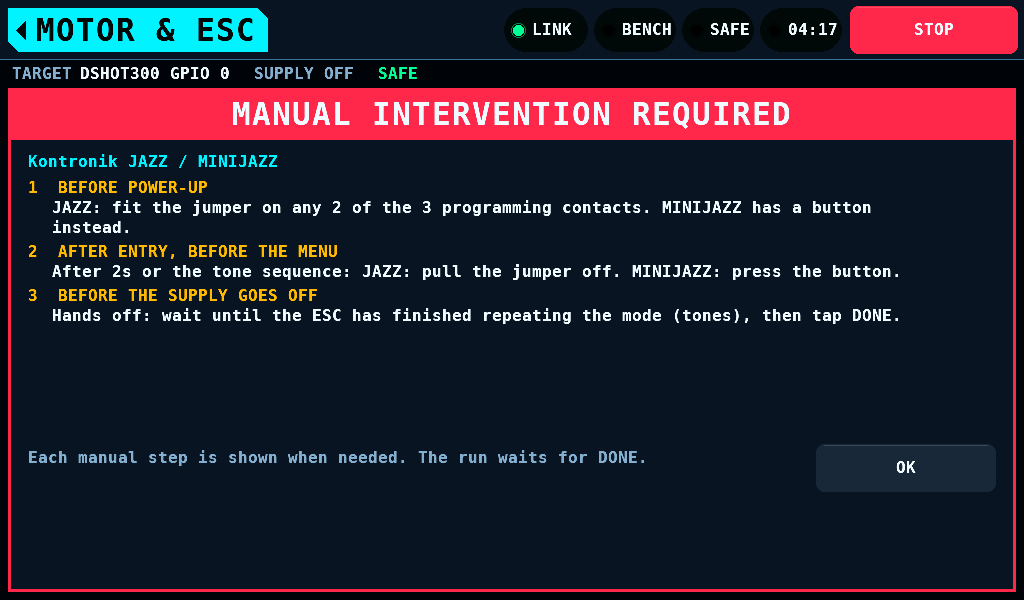
Some ESCs enter their programming mode only when a person fits a jumper or presses a button on the ESC. Every Kontronik ESC in the set is one. Such a profile shows MANUAL INTERVENTION REQUIRED in red. A tap shows the steps and when each is due; they open by themselves the first time the profile is opened after a start.
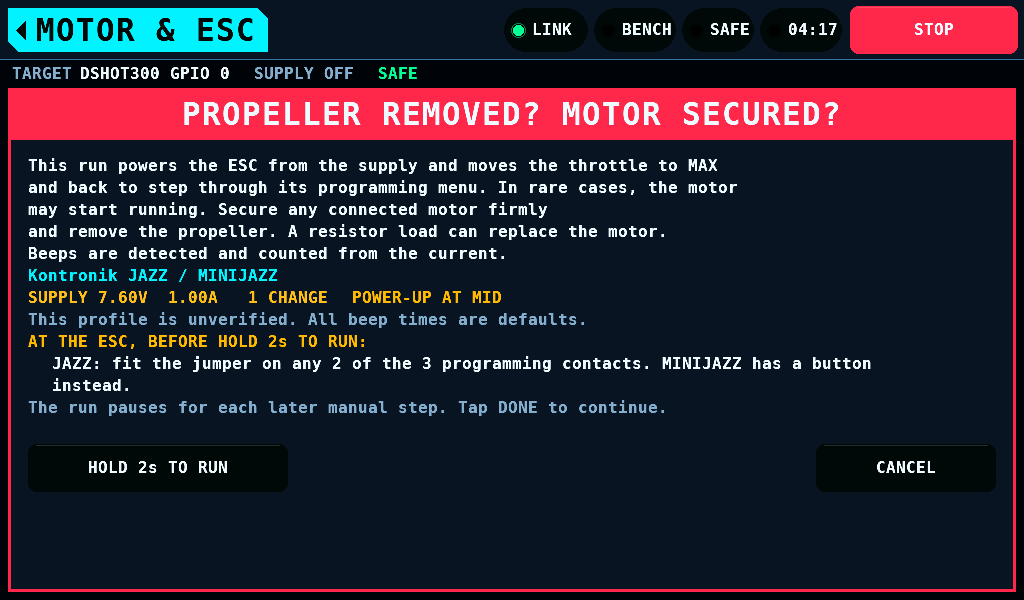
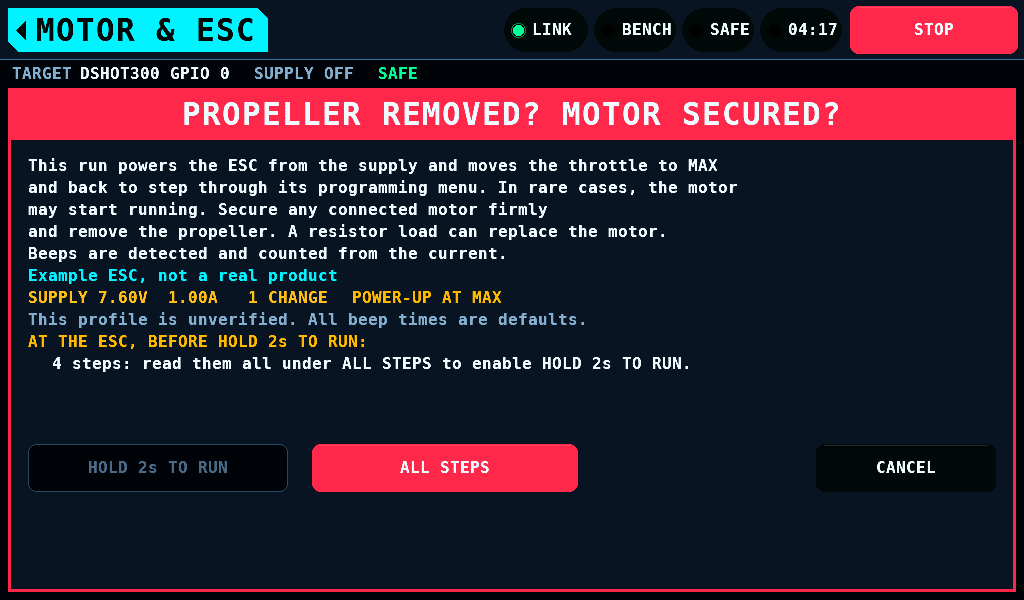
The warning lists the steps due before the power-up. When they do not all fit, ALL STEPS opens them, and HOLD 2s TO RUN counts only after ALL STEPS was opened and closed with OK.
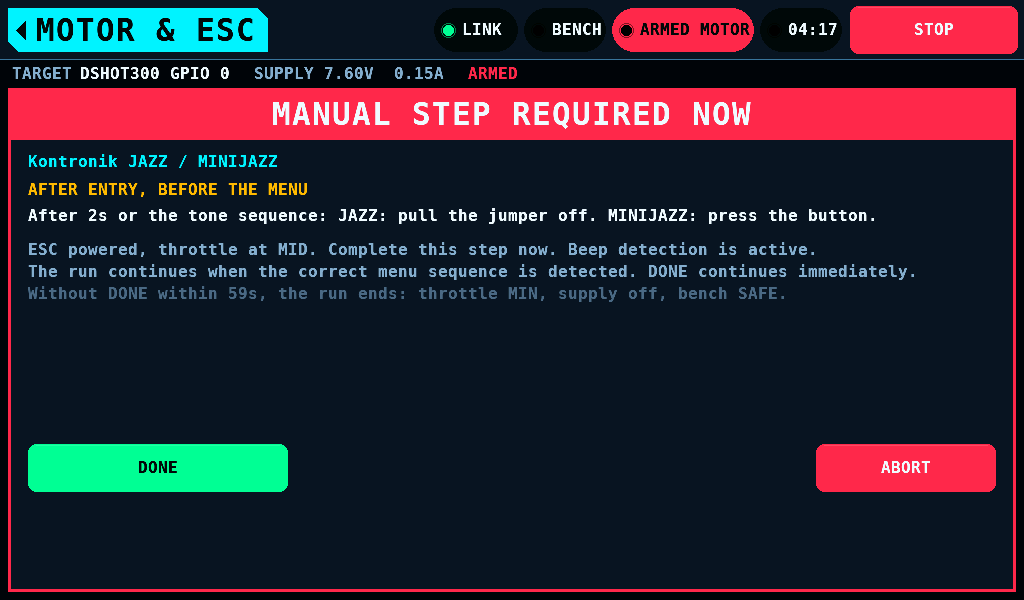
A step due during the run covers the page with DONE and ABORT. DONE is dark for its first 1000ms. No DONE within 60s ends the run with NOT CONFIRMED.
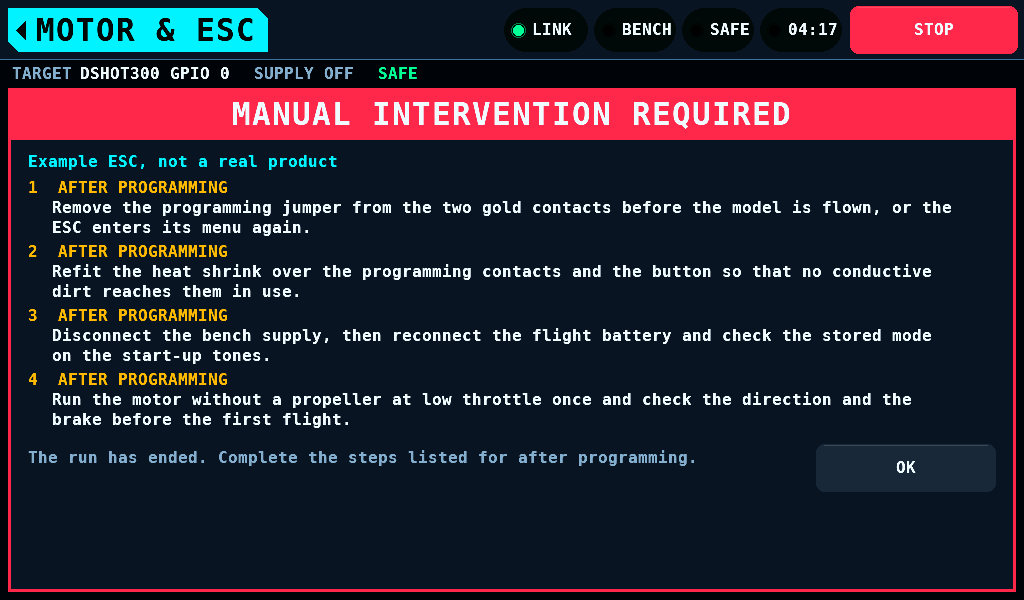
Steps due after programming open when the run is over.
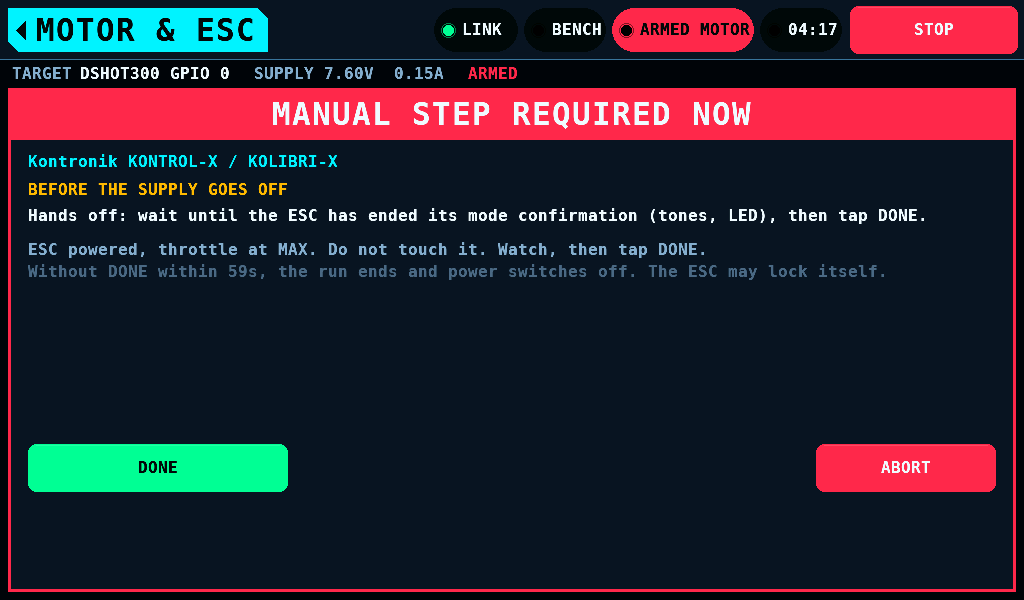
A Kontronik ESC confirms a stored mode with tones and locks itself when its supply goes off before the confirmation ends. The run holds the ESC powered after the store, the stick where it stored, until DONE.
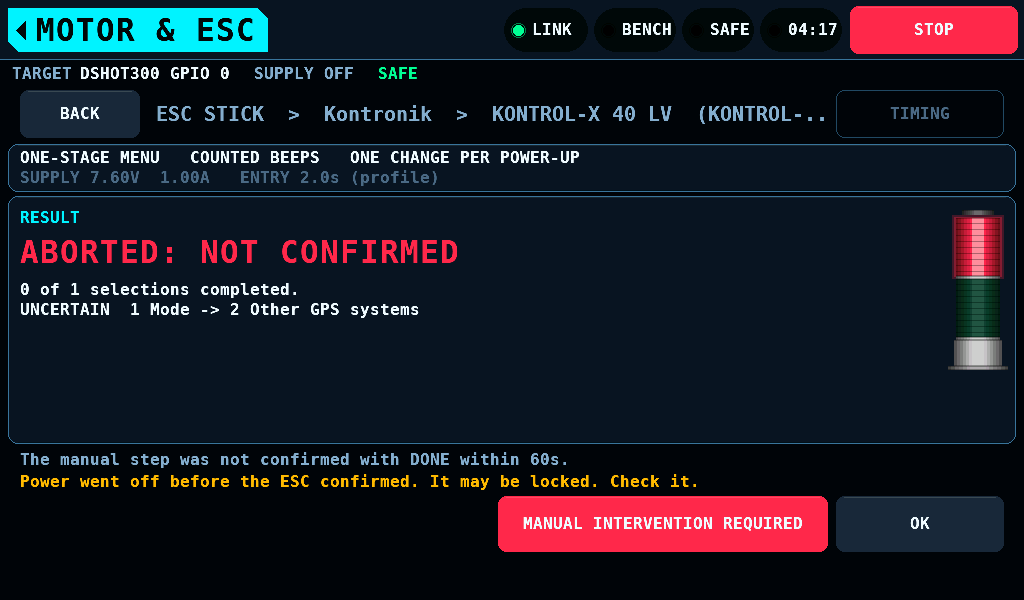
When the supply goes off before the ESC confirmed, the result marks the change UNCERTAIN and says the ESC may be locked.
Related pages
- Motor and ESC: PROGRAM and the output strip.
- Stick programming: profiles, timings and every rule of a run.