Status band and STOP
The status band is the top 60px of every screen except the splash, the bus-fault screen, PANEL UPDATE and the progress of an IOmcu update. It names the screen, shows the state of the bench and holds STOP.
What the band shows
From the left: the home tag with the screen's name, then the chips, then STOP at the right edge.
| Chip | Shows |
|---|---|
| LINK, NO LINK | whether the IOmcu answers on the CAN (Controller Area Network) bus |
| BENCH, SIM | BENCH while the IOmcu answers and the screens drive its outputs; SIM while the panel runs its own model |
| INJECT | in place of BENCH and SIM while a touch injector answers at I2C (Inter-Integrated Circuit) address 0x14; a panel looks for one once, at start-up |
| FAULT 01 to FAULT 7F | a fault code the IOmcu reports; absent while there is none |
| SAFE, ARMED MOTOR, ARMED SERVO, ARMED | what the switch to ARMED drives |
| run clock | the length of the current run from the switch to ARMED, minutes and seconds; it holds the last run at SAFE |
The home tag goes to the menu.
The arm chip
| Chip | Outputs that get pulses |
|---|---|
| SAFE | none |
| ARMED MOTOR | the throttle outputs, from MOTOR & ESC's ARM or a stick run on its PROGRAM |
| ARMED SERVO | the servo outputs and a pulsing PROG PORT, from SERVO |
| ARMED | every bound output, on an IOmcu older than 0.18.0 |
A channel with no command for 500ms sits at rest while ARMED: a throttle at 0%, a servo at the middle of its travel.
STOP
STOP works on every screen that has the band. It switches the bench to SAFE, switches the supply output off and latches: the bench stays SAFE until it is switched to ARMED again. Leaving the screen, an alert that clears or a link that comes back does not clear a stop.
- STOP acts on a press that lands on it, at the press. A finger that slides onto STOP from the screen stops nothing. A finger that lands on STOP and slides off stops all the same.
- A second finger on STOP is answered while the first finger drags, and the drag ends at that press.
- With a chip's box open, a press on STOP closes the box and stops at once.
Chip help
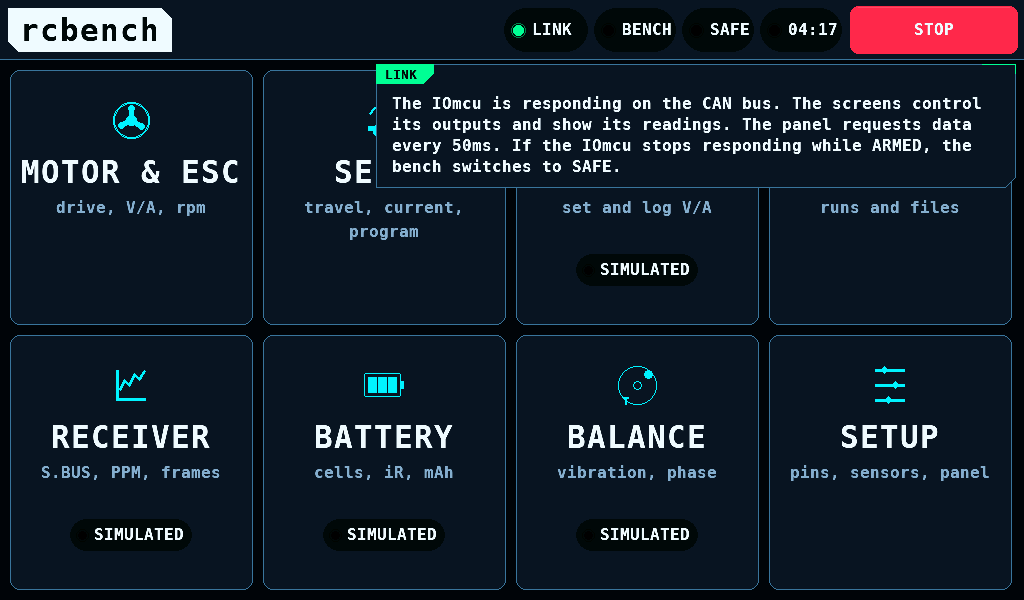
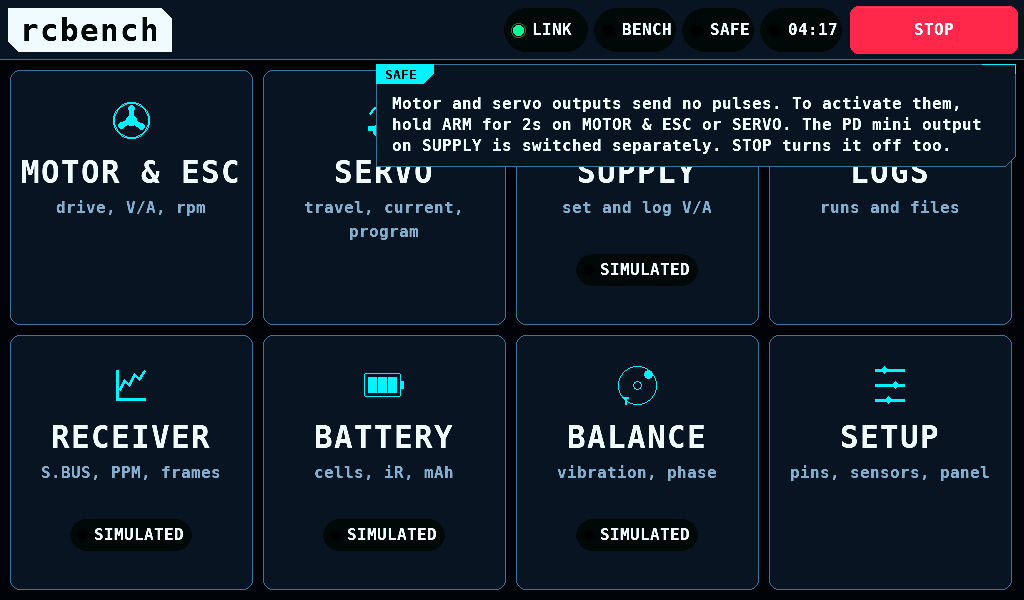
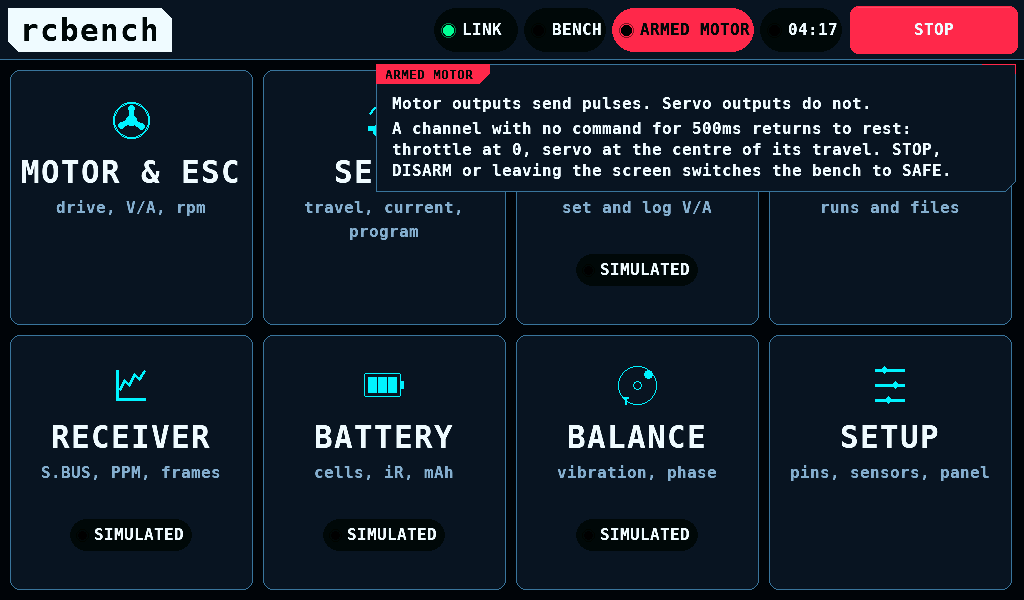
A tap on a chip opens a box under the band. It says what the chip's state means for the bench and what to do. The box is 640px wide and opens 4px under the band. A tap on another chip closes it and opens that chip's box. Any other tap closes it and does nothing else, except on DISARM, OUTPUT OFF, a stick run's ABORT, STOP TEST or STOP RUN: those act on the same press, as with no box. Leaving the screen closes it too. The text follows the state while the box is open.
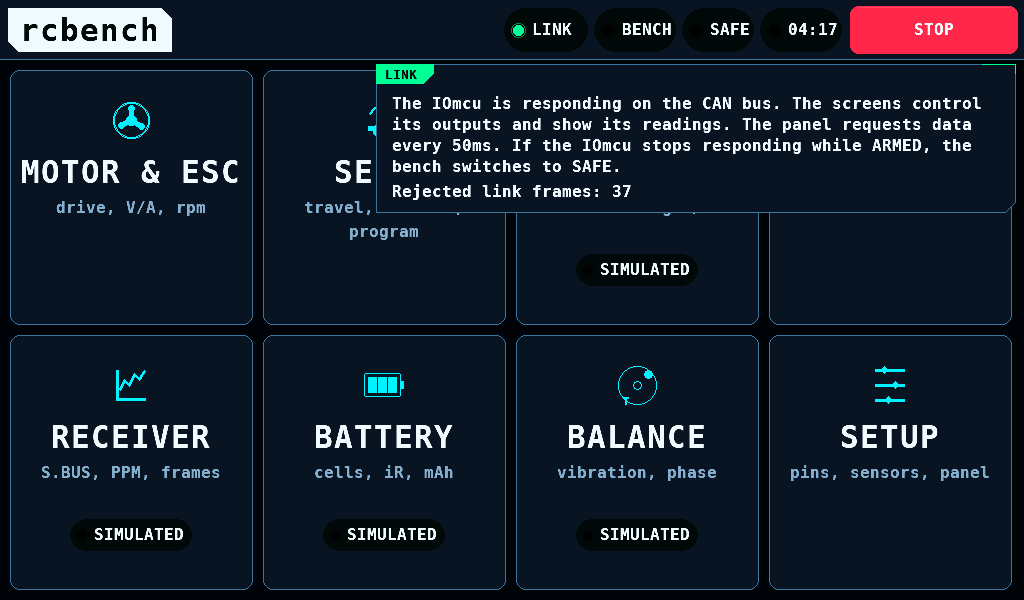
While the IOmcu has refused link frames since its power-up, the LINK box ends with the count, for example Rejected link frames: 37.
FAULT codes
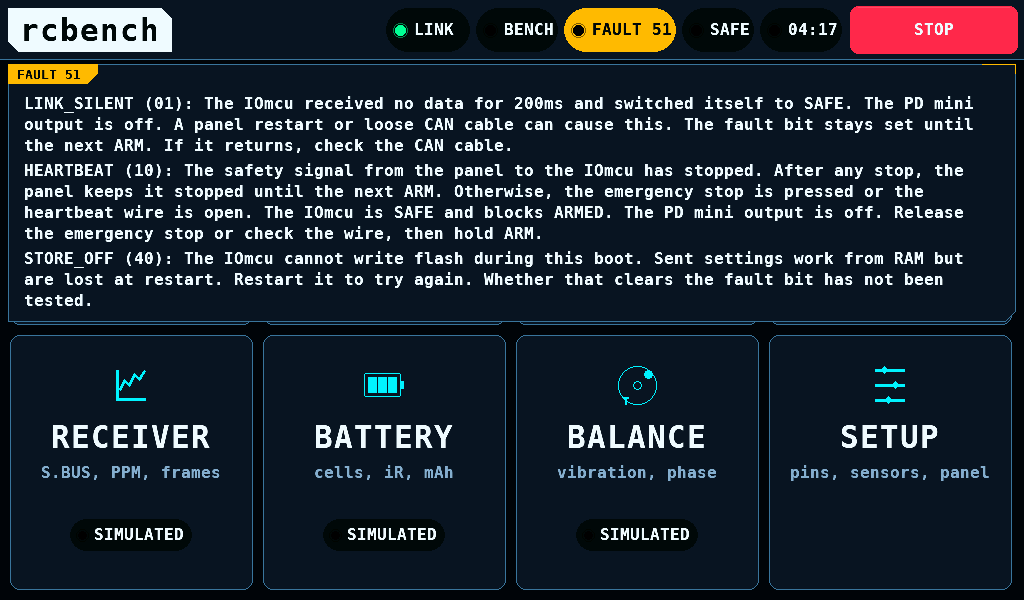
The FAULT box spans the panel, 1008px, with one paragraph per set bit:
| Code | Name | Set in this release when |
|---|---|---|
| 01 | LINK_SILENT | the IOmcu heard no request for 200ms and switched to SAFE; stays until the next arm |
| 02 | OVERCURRENT | never |
| 04 | OVERTEMP | never |
| 08 | STALL | never |
| 10 | HEARTBEAT | the safety line from the panel stopped: after any STOP until the next arm, a pressed emergency stop, or an open heartbeat wire |
| 20 | VERSION | never |
| 40 | STORE_OFF | the IOmcu cannot write its flash this boot; set-ups sent to it last until it restarts |
For a bit this release never sets, the box says to flash both boards from one release.
The alert band
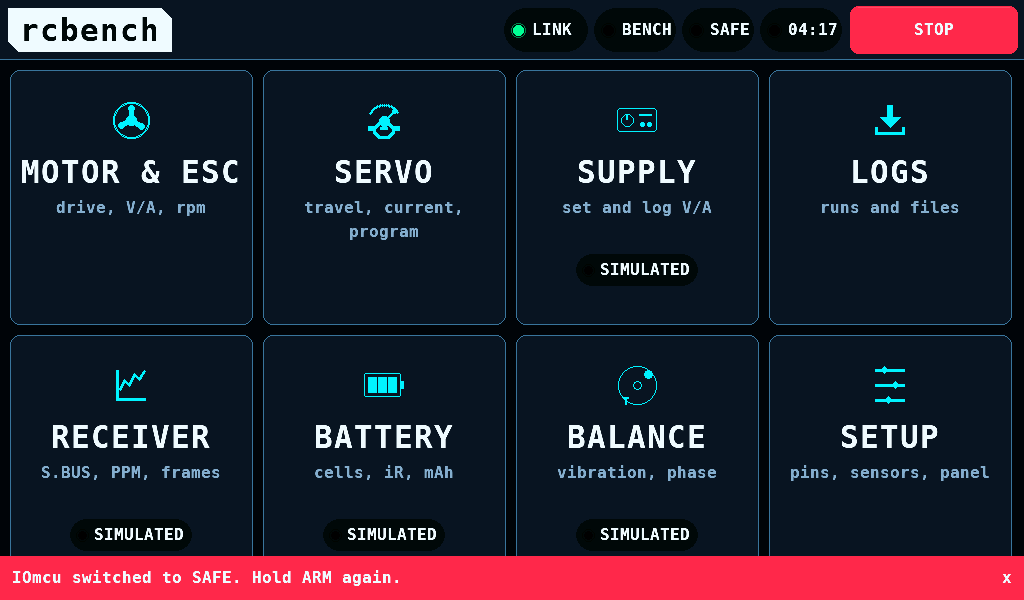
A fault the open screen does not show appears in a red band, 44px high, across the bottom of the screen. It covers what is beneath it; ARM and the controls that stop the bench end above it.
- It clears 30s after it arrived. A new alert starts the 30s again.
- A tap on the band, marked
xat its right end, clears it earlier. The screen beneath receives neither that tap nor a second finger on the band. - DISARM, OUTPUT OFF, a stick run's ABORT, STOP TEST and STOP RUN end above the band: a press on one is its own, and the alert stays. ARM and OUTPUT ON under the band are not pressed.
- "Touchscreen not responding. ARMED is blocked.", shown at start, stays until restart and has no
x.
Touch near the band
- A touch that comes down on the band stays the band's. Sliding it into the screen moves nothing there.
- A touch that comes down on the screen and slides up into the band is released at its last point on the screen. A slider or the SERVO dial keeps the value it had there. A hold on ARM or OUTPUT ON is abandoned.
- OUTPUT OFF and START TEST while a servo test runs still act on such a release, because they stop something. DISARM has acted on its press already.
- A press on the band, on STOP or on the alert band ends a drag another finger makes on a slider or the SERVO dial.