Menu
The menu is the panel's home screen. It opens after the splash and holds one tile per bench screen. A tap on a tile opens its screen. The home tag at the top left of every other screen climbs one level: from a screen the menu opens it returns here, from a list or screen that SETUP's tiles open it returns to the tiles.
The tiles
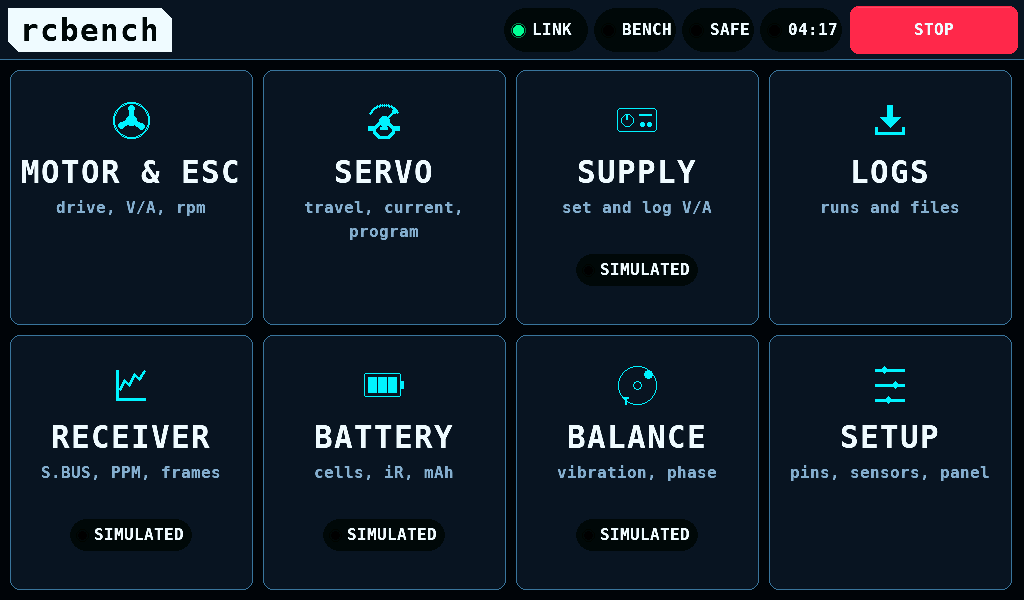
Eight tiles, 243 x 255px each, in 4 columns and 2 rows: the workbenches in the first row, the instruments in the second, LOGS over SETUP in the last column.
| Tile | Line under the name | Page |
|---|---|---|
| MOTOR & ESC | drive, V/A, rpm | Motor and ESC |
| SERVO | travel, current, program | Servo |
| SUPPLY | set and log V/A | Supply |
| LOGS | runs and files | Logs |
| RECEIVER | S.BUS, PPM, frames | Receiver |
| BATTERY | cells, iR, mAh | Battery |
| BALANCE | vibration, phase | Balance |
| SETUP | pins, sensors, panel | Setup |
Programming has no tile: ESCs are programmed on MOTOR & ESC's PROGRAM, servos on SERVO's PROGRAM.
A tap opens a tile when the finger lifts on the same tile it pressed. A press that slides off the tile opens nothing.
The SIMULATED mark
The SIMULATED mark on a tile says that the IOmcu reports no capability for that screen, or that its sensor is not enabled. It does not classify each value on the screen: RECEIVER and BATTERY carry the mark and show no values at all, and SERVO without the mark shows the panel's supply model as its rail meter when neither a PD mini nor an INA3221 is enabled. Each screen names the source of its readings itself.
The mark follows the capability bits the IOmcu reports at link-up:
| Tile | Without the mark when |
|---|---|
| MOTOR & ESC | the IOmcu drives ESCs and holds an INA228 set-up enabled on SETUP, INTERFACES |
| SERVO | the IOmcu drives servo PWM (pulse-width modulation) outputs |
| SUPPLY | the PD mini is enabled on SETUP, INTERFACES |
| RECEIVER, BATTERY, BALANCE | never in this release: no IOmcu reports these capabilities |
| LOGS, SETUP | never marked: they hold no measurement |
With no IOmcu answering, MOTOR & ESC and SERVO carry the mark too. SUPPLY follows the PD mini setting alone, link or not.
The light theme
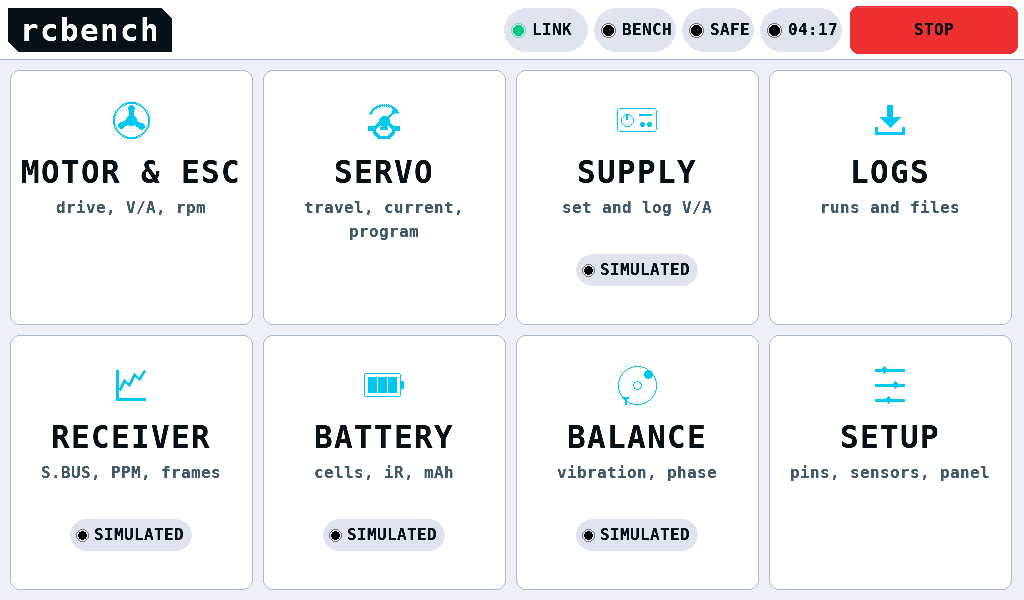
SETUP, PANEL, Theme switches between DARK and LIGHT. The change applies on the next frame.
An alert at the bottom
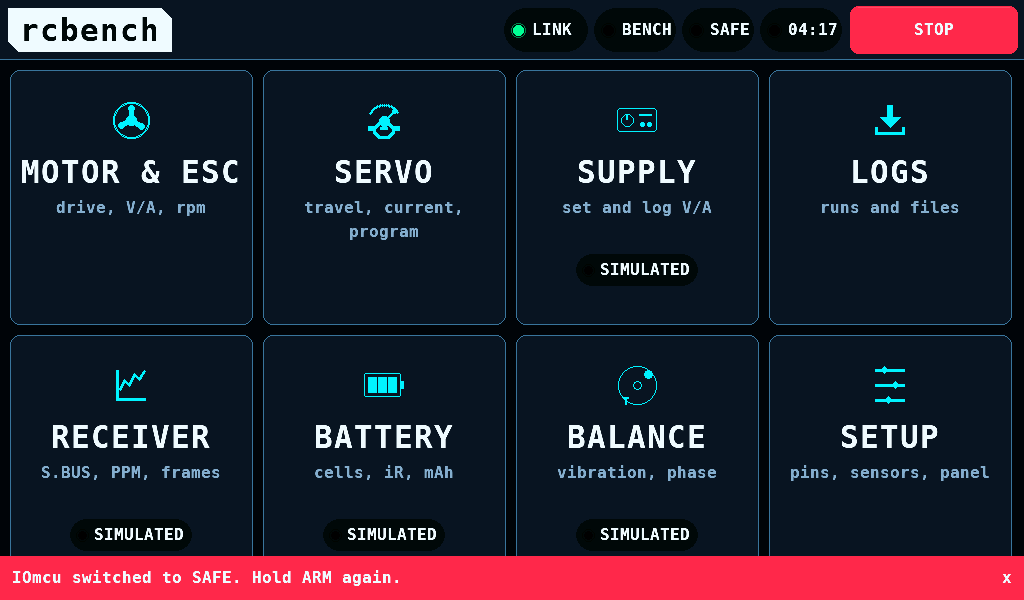
A fault that the open screen does not show appears in a red band, 44px high, across the bottom of every screen with the status band. It clears 30s after it arrived, or on a tap on the band. The status band page lists how it behaves.
At start: the splash
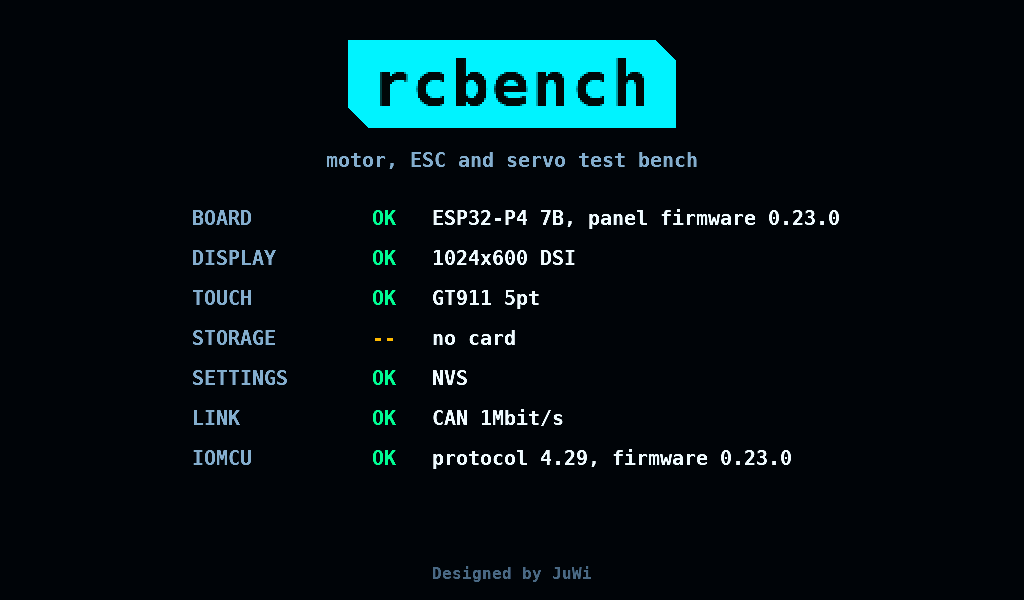
At power-on the splash lists each subsystem as it comes up: board, display, touch, storage, settings, link and IOmcu. The board line carries the panel's firmware version. The IOmcu line carries the protocol version and the firmware version the IOmcu reports.
- A missing SD (Secure Digital) card or an unusable NVS (non-volatile storage) is a warning.
- A touch controller that does not answer, or an IOmcu with another protocol major version, is a failure. The bench then does not switch to ARMED.
- When every step has answered, the menu follows after 1.6s. A tap skips the wait.
- At every start the panel runs a CAN (Controller Area Network) self-test for 1200ms. A bus that fails it opens the bus-fault screen instead of the menu.
Related pages
- Status band and STOP
- IOmcu update: the question that opens on the menu when the IOmcu runs another build.