Motor and ESC
MOTOR & ESC drives an ESC (electronic speed controller) and records a run: voltage, current, power and rpm over time. It opens from the MOTOR & ESC tile on the menu, always on LIVE.
The strip
The strip at the top holds three tasks, LIVE, PROGRAM and SETTINGS. A tap switches the task. LIVE keeps its view, PLOT or TABLE, across a switch.
| Task | The left column |
|---|---|
| LIVE | the plot or the table, and the throttle |
| PROGRAM | the list of ESC programmers (PROGRAM) |
| SETTINGS | Motor settings: the pack, the motor and the throttle output |
The right column is the same on the three tasks: the temperatures, the four readouts and the CONTROL card with the totals on its title line, TARGET, RESET PEAKS and ARM. ARM is at the foot of the card, where SERVO has its ARM, and works on each task. A session opened from PROGRAM covers it.
The home tag at the top left climbs one level at a time:
| From | The home tag leads to |
|---|---|
| the keypad on SETTINGS | SETTINGS; the value is not changed |
| a session on PROGRAM | one level up in the session, then PROGRAM's list |
| LIVE, PROGRAM's list or SETTINGS | the menu; the bench switches to SAFE |
PROGRAM
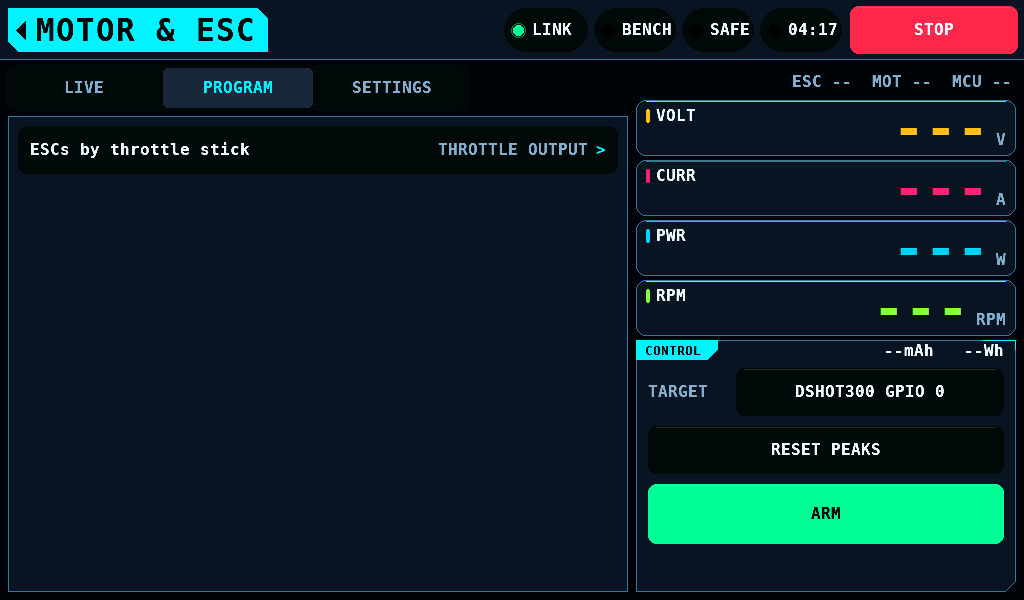
PROGRAM lists the ESC programmers. Its one row, ESCs by throttle stick in the group STICK MENU, drives the pins bound as throttle and opens ESC STICK. The modelled tables for BLHeli_S, AM32, ESCape32 and VESC firmware have no transport and no row.
ESC STICK opens full width, over the left column and the right column. In place of the tabs the strip row shows the output strip, one line:
TARGET DSHOT300 GPIO 0 GPIO 1 SUPPLY 7.60V 1.00A SAFE
- TARGET: the protocol and the pins the run drives, in the warning colour while no pin is bound or the binding is not read.
- SUPPLY: the PD mini's output as it reads,
SUPPLY ONwithout readings,SUPPLY OFF, orSUPPLY --while the supply does not answer. - SAFE or ARMED: the bench.
No press reaches ARM or a tab while ESC STICK is open. Opening it on a bench that is not SAFE switches the bench to SAFE. Leaving MOTOR & ESC ends a run, switches the bench to SAFE and closes ESC STICK.
Before the first run
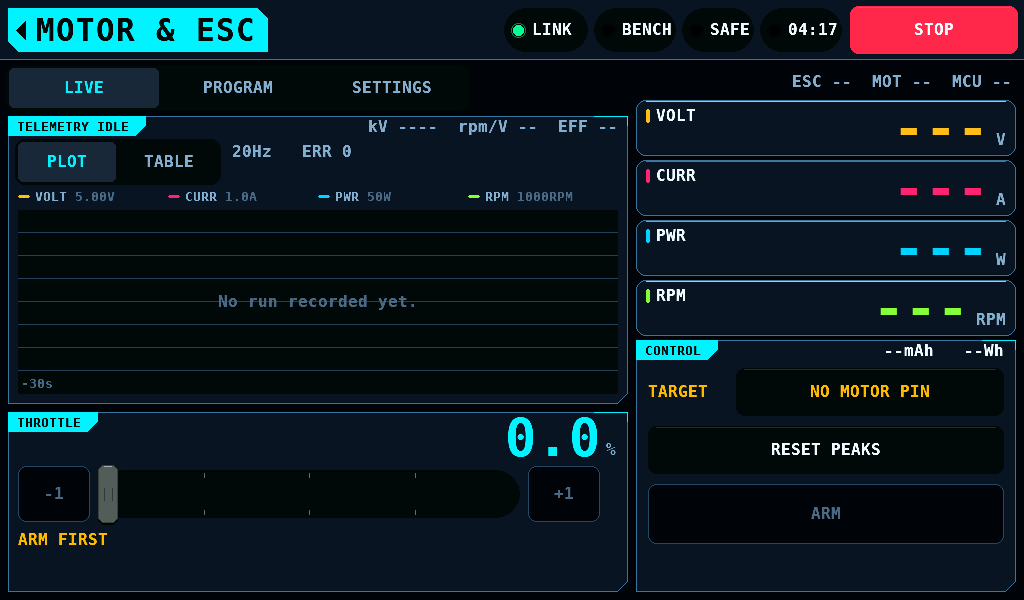
- The panel tag reads
TELEMETRY IDLEand the plot readsNo run recorded yet.until the first switch to ARMED. - The line under the track reads
ARM FIRSTwhile the bench is SAFE. The track and the-1and+1keys are dimmed and take no command. - The readouts show
---while nothing has reported a value. - TARGET reads
NO MOTOR PINin the warning colour: the binding was read and no pin is bound as a motor. Bind one on Outputs.
TARGET
The TARGET row at the top of the CONTROL card names what the throttle drives: the protocol, then the pins, DSHOT300 GPIO 0 GPIO 1. They are the pins bound as MOTOR PWM or as a DShot protocol on Outputs. The value box holds 25 characters; pins that do not fit are counted, DSHOT300 GPIO 0 GPIO 1 +6.
| TARGET reads | Condition |
|---|---|
DSHOT300 GPIO 0 GPIO 1 | the protocol and the pins the throttle drives, in pin order |
MIXED GPIO 0 GPIO 4 | the throttle pins run on two or more protocols, or one of them on a rate no protocol of OUTPUTS has |
GPIO 0 GPIO 1 | every throttle pin runs on a pulse rate no protocol of OUTPUTS has |
NO MOTOR PIN | the binding is read and no pin is bound as a motor; warning colour |
PINS NOT READ | the link is down, the pages did not read, or the board has no pin map; warning colour |
A tap on TARGET opens Outputs on the protocol the throttle's pins are bound as, or on the overview while they are bound as several or none is known, and the bench switches to SAFE as on every way off the screen. The home tag on OUTPUTS comes back to MOTOR & ESC, on the task TARGET was tapped on.
TARGET takes no tap and is drawn locked:
- while the bench is not SAFE: ARMED, an ARM asked and not answered, a DISARM asked and not answered;
- while ARM is held;
- while the servo programmer holds a port.
ARM switches the whole bank of throttle outputs to ARMED, not only the pins named here.
A run
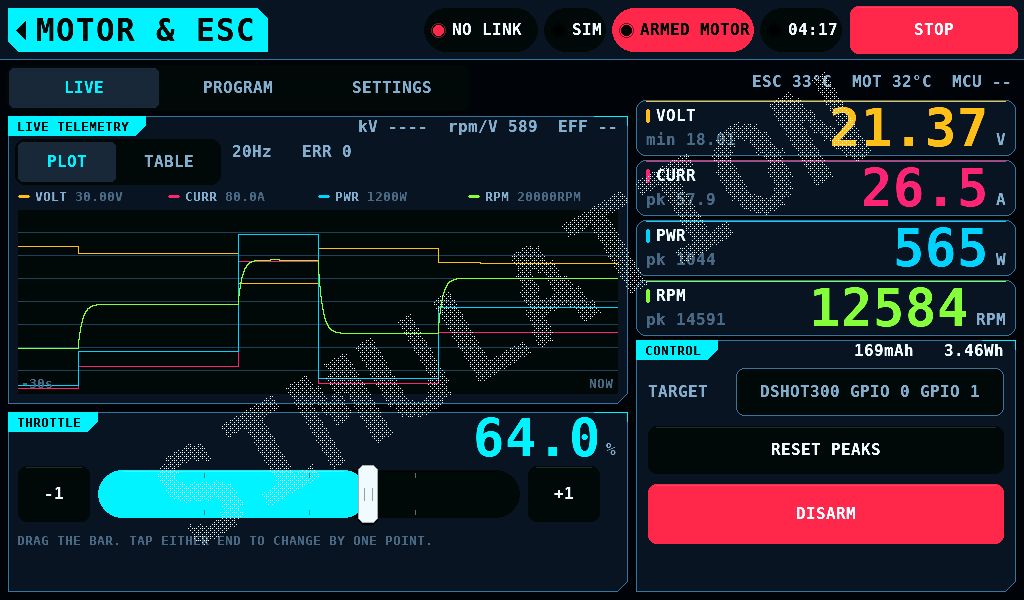
- Hold ARM for 2s. The fill fades from green to red; the bench switches to ARMED when the fade completes. Letting go earlier switches nothing.
- Drag the throttle. It moves by how far the finger travels, not to where it lands.
-1and+1step one percentage point. - Tap DISARM, or press STOP, to end the run. Both stop the output at once, with no ramp, and return the throttle to 0%.
While ARMED the panel tag reads LIVE TELEMETRY and the plot's right edge reads NOW. ARM is drawn disabled while the servo programmer holds a port.
| Control | SAFE | ARMED |
|---|---|---|
| The track | refused; drawn dimmed | moves the throttle by the finger's travel |
-1, +1 | refused; drawn dimmed | step one percentage point |
| Rotary knob | refused; the turn is not kept | moves the throttle from its value |
| ARM | switches to ARMED after a 2s hold | DISARM: switches to SAFE on a tap |
| RESET PEAKS | clears the peak markers | clears the peak markers |
| PLOT, TABLE | switch the view of LIVE | switch the view of LIVE |
Leaving the screen, TARGET, a lost link or a touch controller that stops answering also switches to SAFE and returns the throttle to 0%.
While no IOmcu answers, the band shows SIM and SIMULATION is drawn across the screen: every value is the panel's model.
A held run
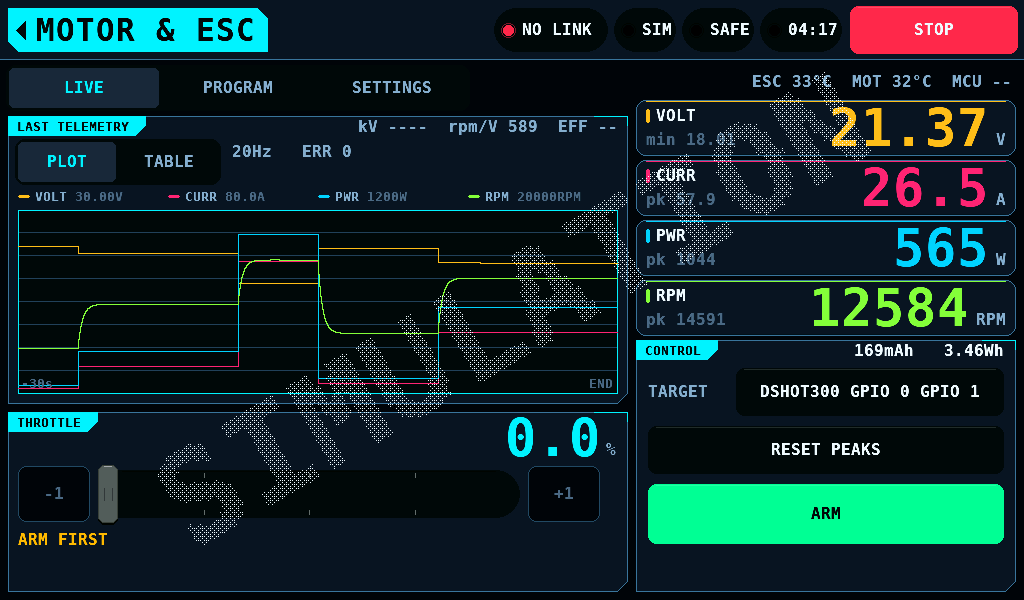
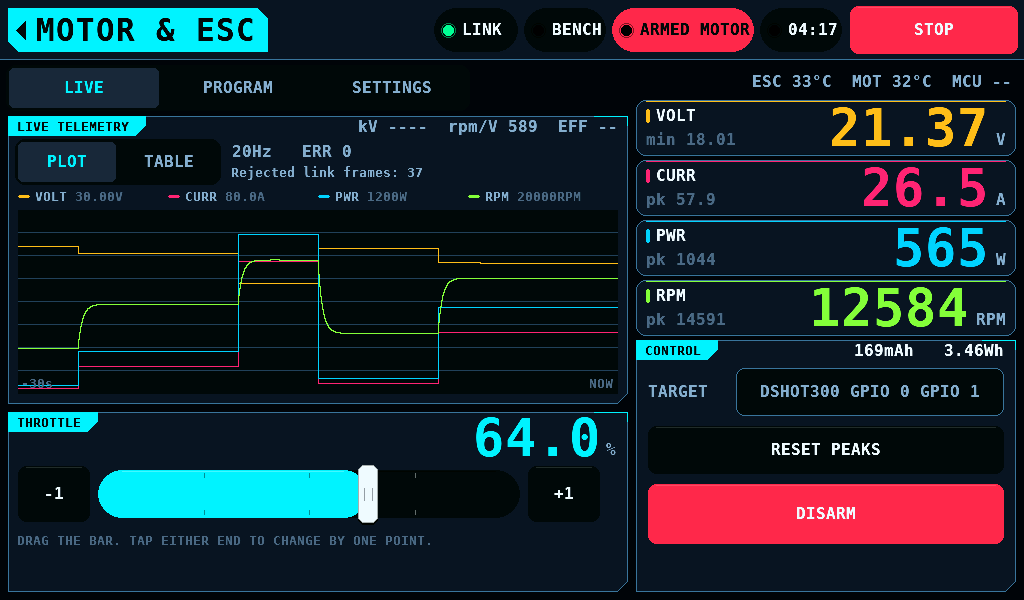
Switching to SAFE holds the plot as it stood: the tag reads LAST TELEMETRY and the right edge reads END. The next switch to ARMED clears it. The plot is 600 columns at 20 samples per second, 30.0s. A longer run keeps its last 30.0s on screen; the whole run is in its CSV (comma-separated values) file on the card.
The readouts, the TABLE pane, the totals and the temperature strip stay live at all times, ARMED or not.
The rate line and the temperatures
On LIVE the telemetry card carries PLOT and TABLE under its title, and beside them the poll rate and the link's error count. While the IOmcu has refused link frames since its power-up, the line under them adds the count. The three temperatures are on the line over the right column on every task: ESC and MOT from the IOmcu's bench page, MCU from the panel's own ESP32-S3 die.
TABLE
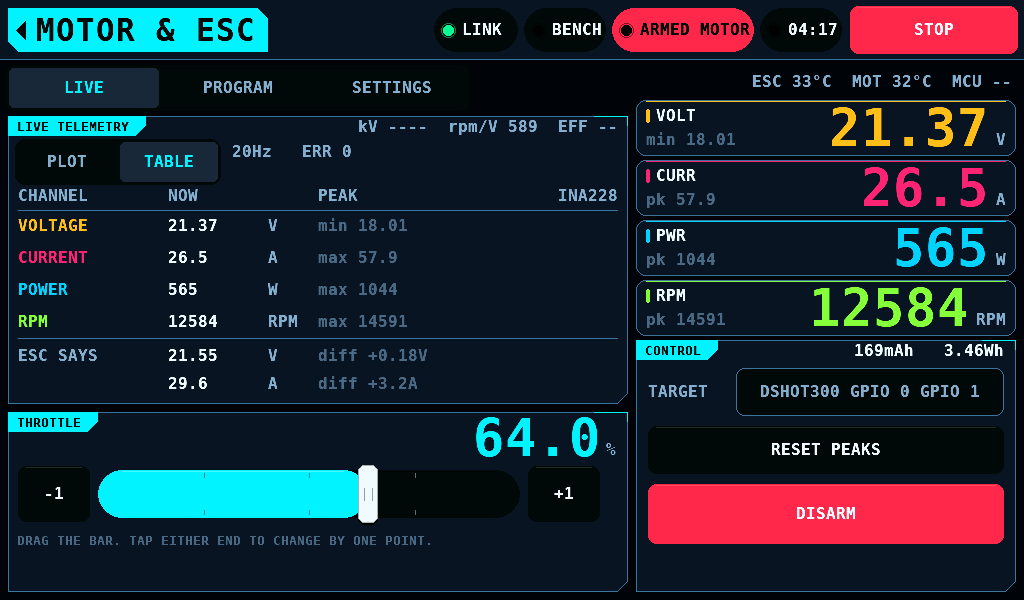
TABLE lists voltage, current, power and rpm, each with its peak. A channel nothing answered for reads --.
- With the INA228 enabled on SETUP, INTERFACES and answering, voltage, current and power are the INA228's: the means of the IOmcu's last 50ms window, read at 20Hz. The heading names
INA228. CLIPPEDfollows the heading while a current read the end of the part's range: current and power are then bounds, not values.ESC SAYSlists the ESC's own telemetry voltage and current, anddiffis the ESC's figure less the INA228's.- Without the INA228 the channels are the ESC's telemetry, and
ESC SAYSis not shown. - rpm comes from bidirectional DShot telemetry. A quantity nothing measures is drawn empty, not modelled.
kV, rpm/V and EFF
The header of the plot shows the rated kV, the measured rpm per volt and EFF, the second divided by the first, capped at 199%. The rated kV is the Rated kV setting on MOTOR & ESC, SETTINGS, 0 to 10000rpm/V, default 0. At 0 the kV field is empty and no EFF is shown. EFF counts copper loss only and includes the ESC's losses, so it is an upper bound, not a shaft efficiency.
The log of a run
One switch to ARMED writes one file, MOTORnnn.CSV, in BENCH/LOGS on the panel's SD (Secure Digital) card, while Auto logs on SETUP > SD CARD is ON. With the link up a row is one answered poll, about 19 rows per second on one bench; other benches are not measured. The file closes at the switch to SAFE. Logs opens and plots it.
Related pages
- Motor settings: the pack, Rated kV, Motor poles, the Idle and Full pulse.
- ESC STICK: programming an ESC through its throttle-stick menu.
- Outputs: which pins the throttle drives.
- Setup: the rotary knob.
- Interfaces: the INA228.