Balance
BALANCE finds where a propeller or fan needs mass, and shows where the two sensors go. It opens from the BALANCE tile on the menu. Three tabs: BALANCE, TEST RIG and AIRCRAFT.
The BALANCE tab
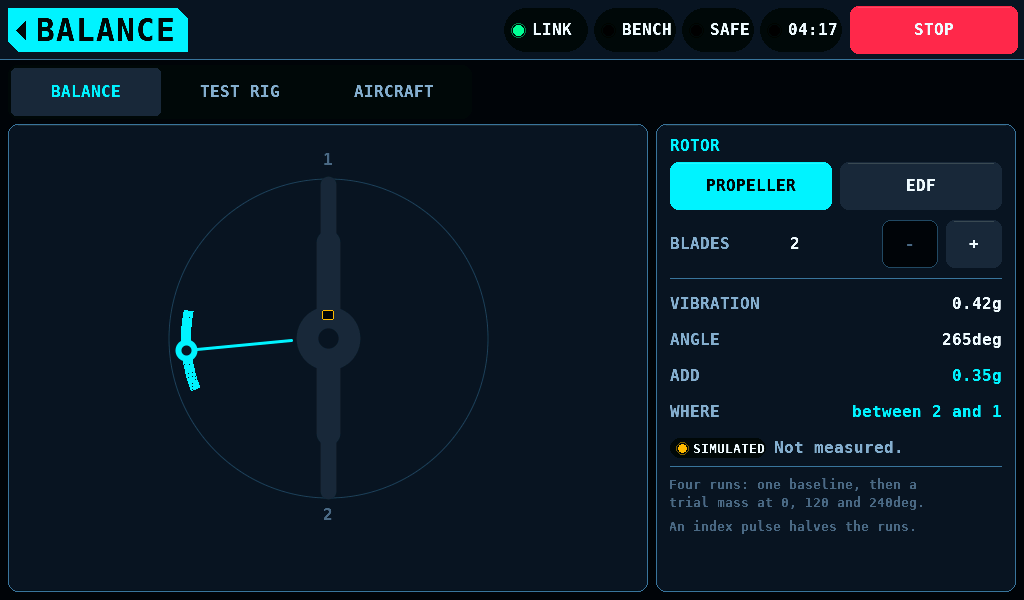
A balance result is a magnitude and an angle. The right card sets the rotor and shows the result.
| Control or row | What it does |
|---|---|
| PROPELLER, EDF | the rotor type; EDF is an EDF (electric ducted fan) |
BLADES, -, + | the blade count, 2 to 6; a tap on the count opens the keypad |
| VIBRATION | the vibration, in g |
| ANGLE | the angle of the heavy spot, in deg |
| ADD | the mass to add, in g |
| WHERE | where the mass goes: between two blades, or on the hub at an angle |
No sensor is fitted in this release. VIBRATION, ANGLE and ADD are fixed values, 0.42g, 265deg and 0.35g, not a measurement. A SIMULATED pill and Not measured. stand under them. The blade arithmetic works: WHERE turns the angle into a blade reference for the blade count set.
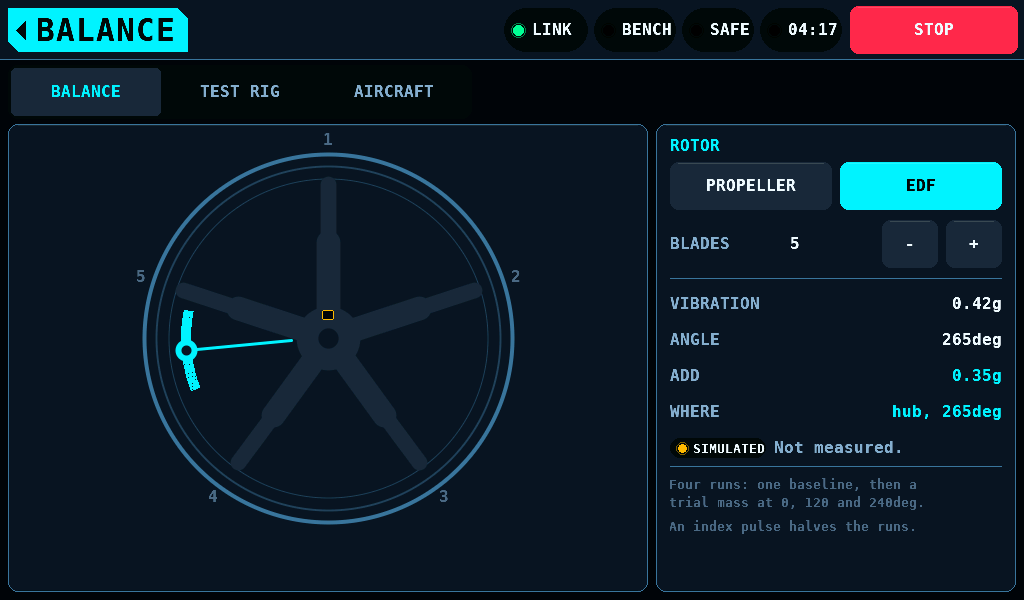
For a ducted fan the correction is an angle on the hub, hub, 265deg, because a blade tip inside a duct cannot be reached.
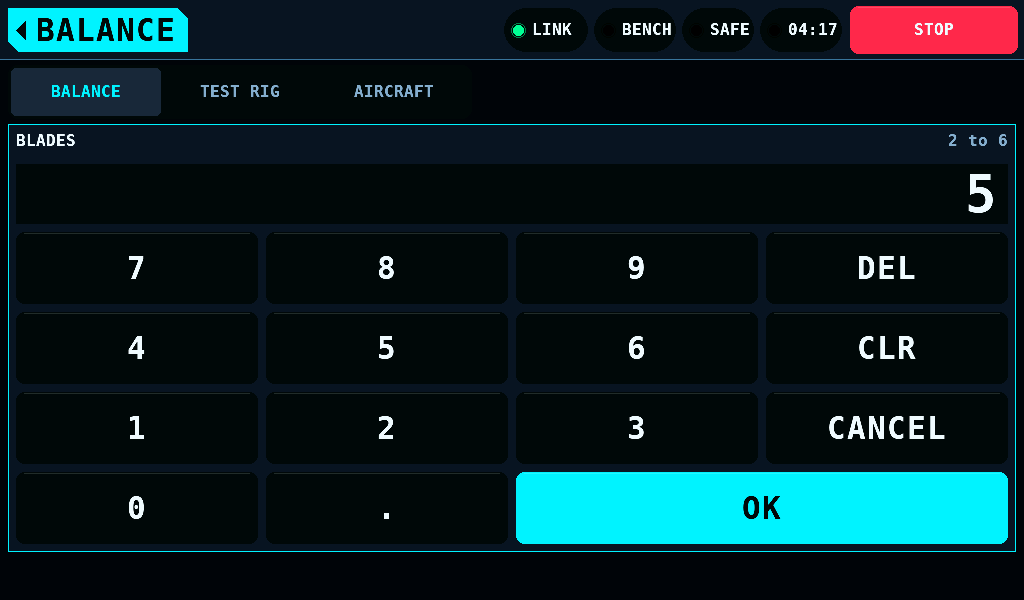
The keypad covers both cards. OK takes 2 to 6; any other count keeps it open and names the range in the warning colour. CANCEL, the home tag and a tab close it and change nothing.
Without an index pulse, balancing takes four runs: a baseline, then a trial mass at 0, 120 and 240deg. An index pulse halves that.
The TEST RIG tab
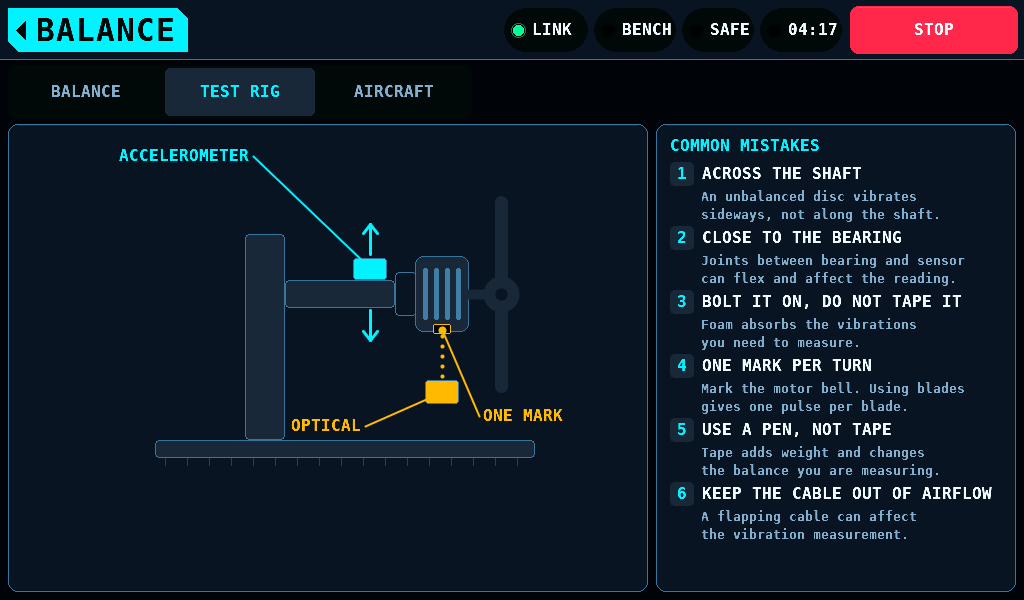
- The accelerometer goes across the shaft, as close to the bearing as it goes, bolted rather than taped.
- The index mark goes on the motor bell, one mark a turn, drawn with a pen. Tape is mass on the part being balanced. A mark on a blade gives one pulse per blade.
- The sensor lead stays out of the propeller wash.
The AIRCRAFT tab
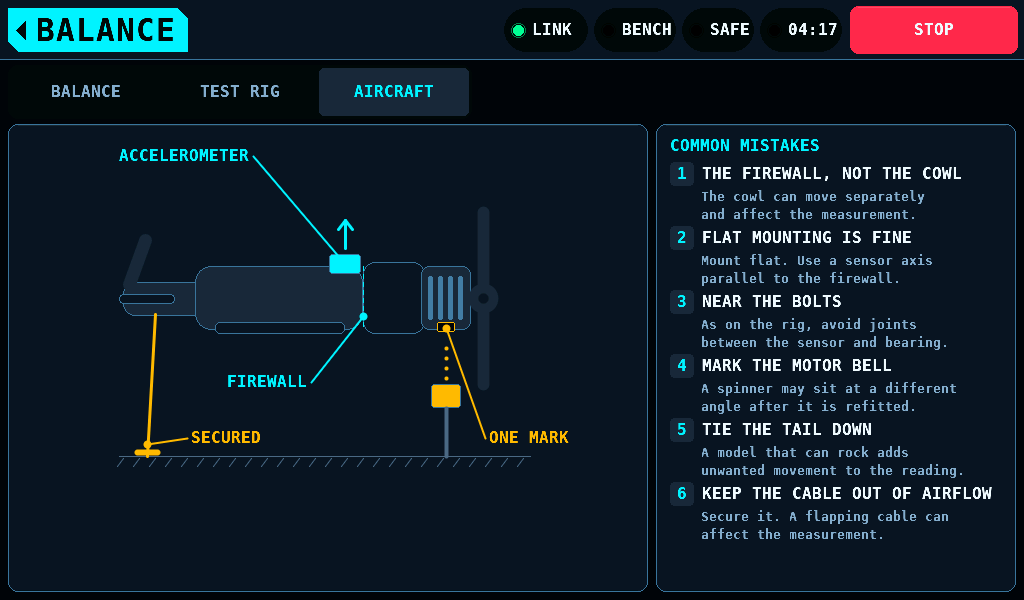
- The accelerometer goes flat on the firewall, near the bolts, not on the cowl.
- The index mark goes on the bell, not the spinner: a spinner goes back on at a new angle.
- Tie the tail down. An aircraft free to rock is a spring in the measurement.
Related pages
- Interfaces: the Vibration and Optical tacho settings, stored and not read in this release.
- Balancing: sensor choice and placement in detail.